

Minimum Order Surcharge Pro for Magento 2
Version: 2.0.0 | Compatibility: Magento 2.4.x | PHP: 7.4 / 8.0 / 8.1 / 8.2 | Hyva: Compatible
A comprehensive minimum order surcharge extension for Magento 2 with 30+ advanced features including flexible rule-based surcharges, real-time analytics, cart abandonment protection, geolocation-based rules, and full Hyva theme support.
Overview
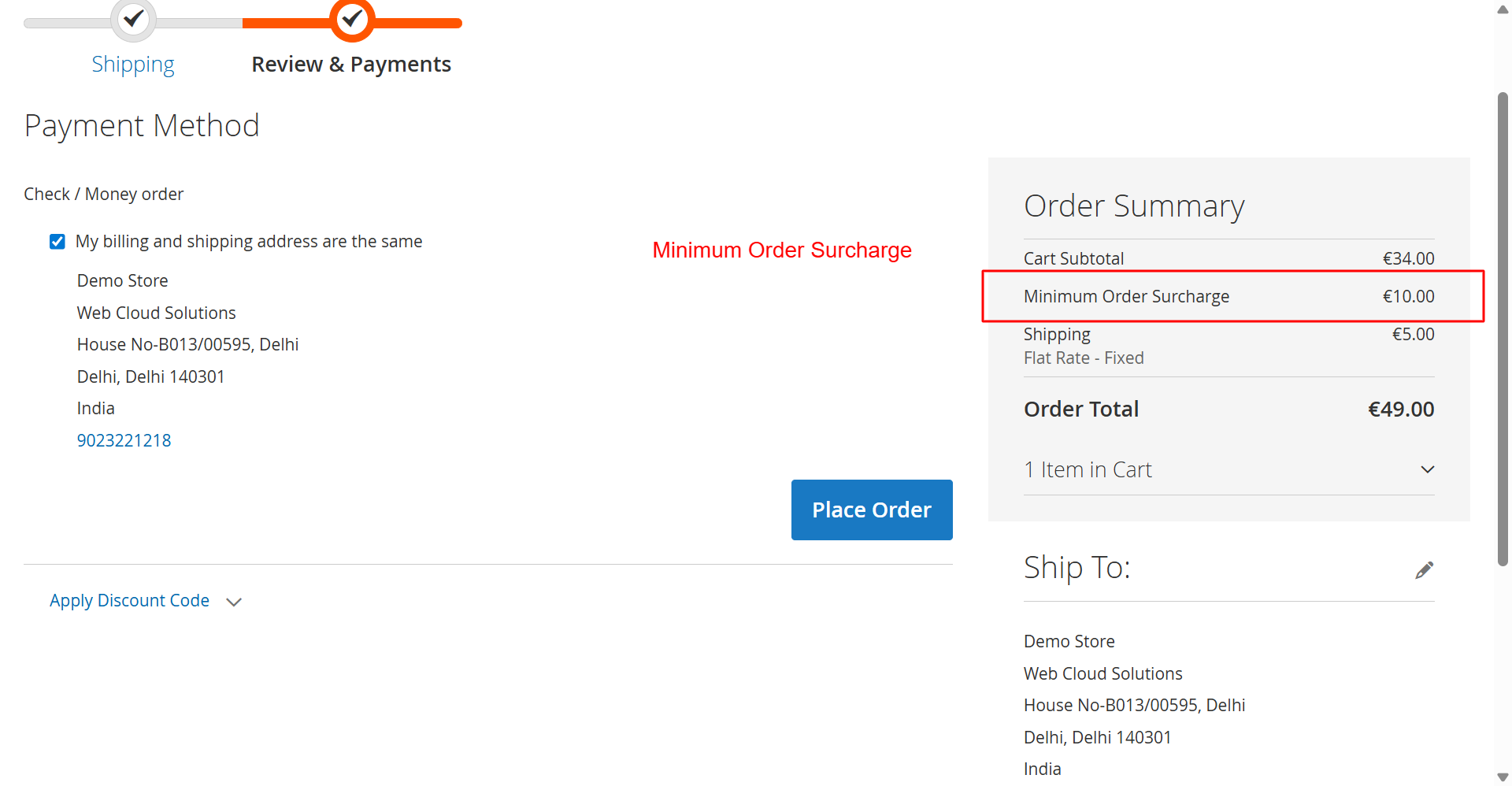
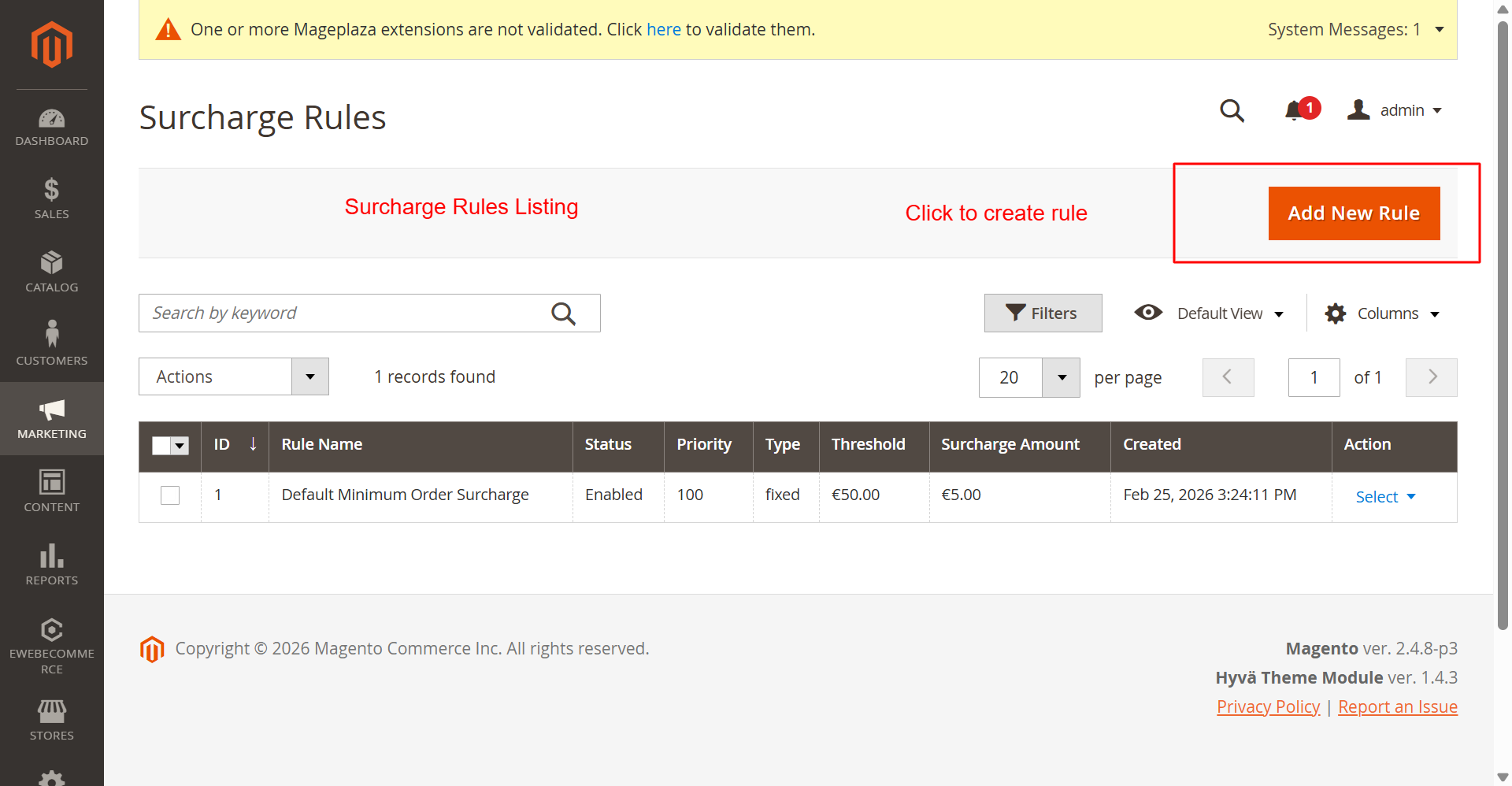
Minimum Order Surcharge Pro allows store owners to automatically apply surcharge fees when a customer's cart total falls below a specified minimum threshold. Unlike basic surcharge extensions, this module offers an advanced rules engine with multiple conditions, real-time analytics dashboard, cart abandonment protection, email/Slack/SMS notifications, and comprehensive reporting.
The module integrates seamlessly with Magento's cart totals, tax calculation, invoicing, and credit memo systems — ensuring surcharges are properly tracked across the entire order lifecycle.
Key Features
Core Surcharge Features
- Flexible Minimum Order Threshold — Set global or rule-based minimum order amounts
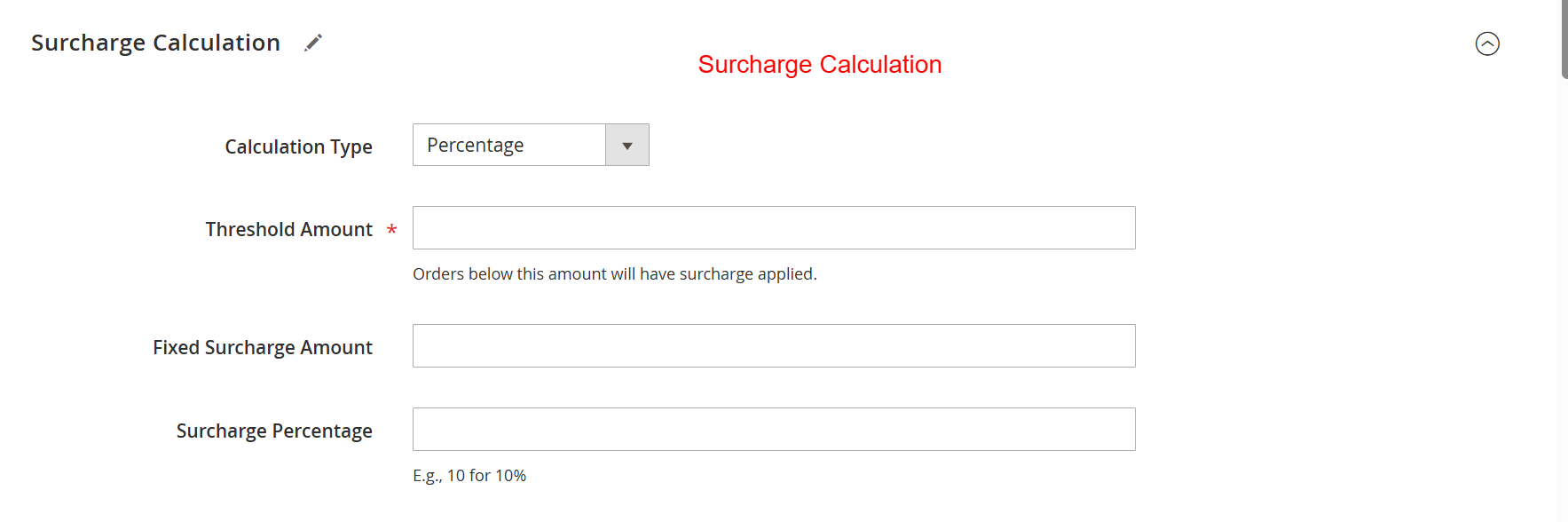
- Multiple Calculation Types — Fixed amount, percentage-based, or tiered surcharges
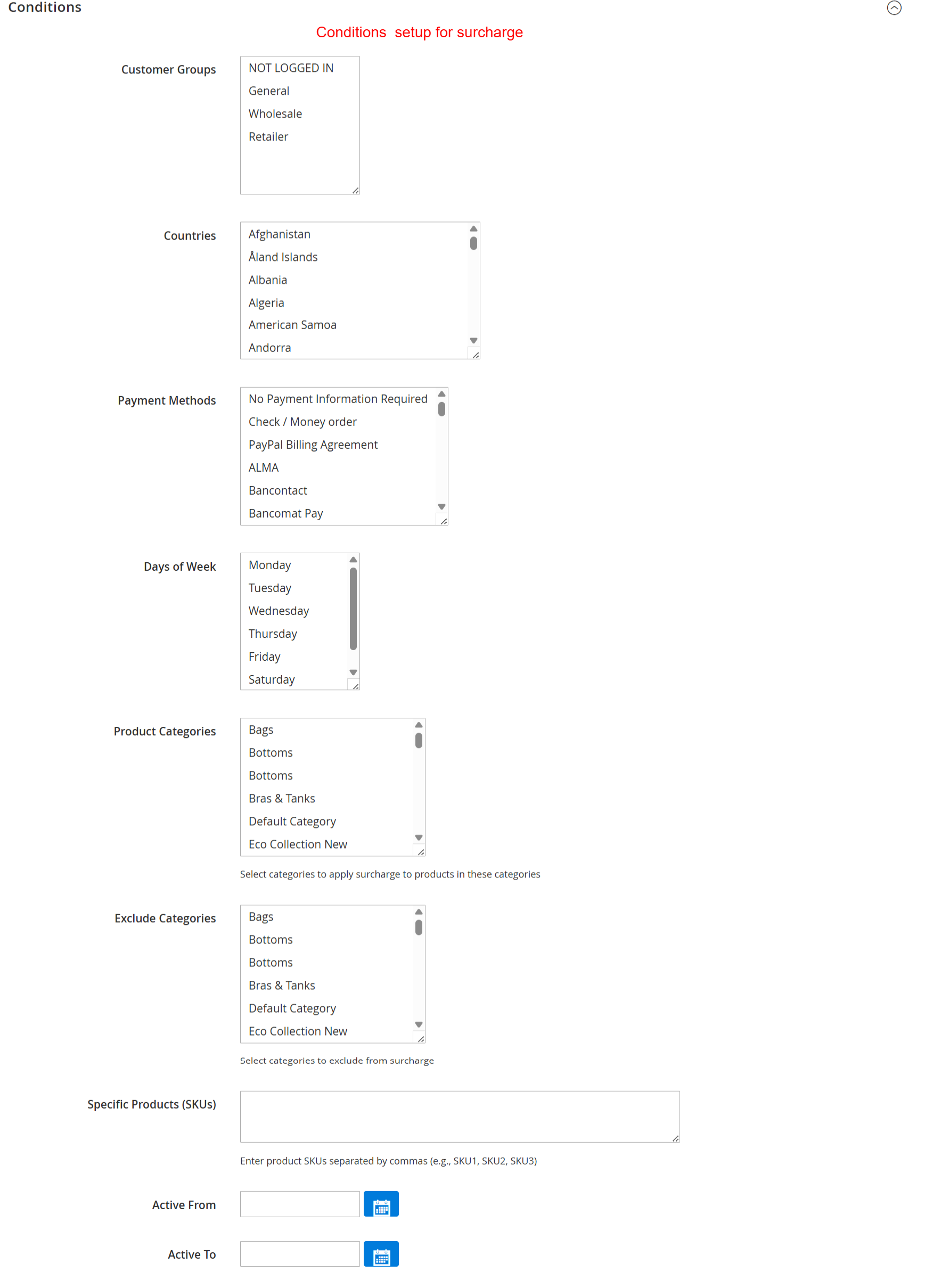
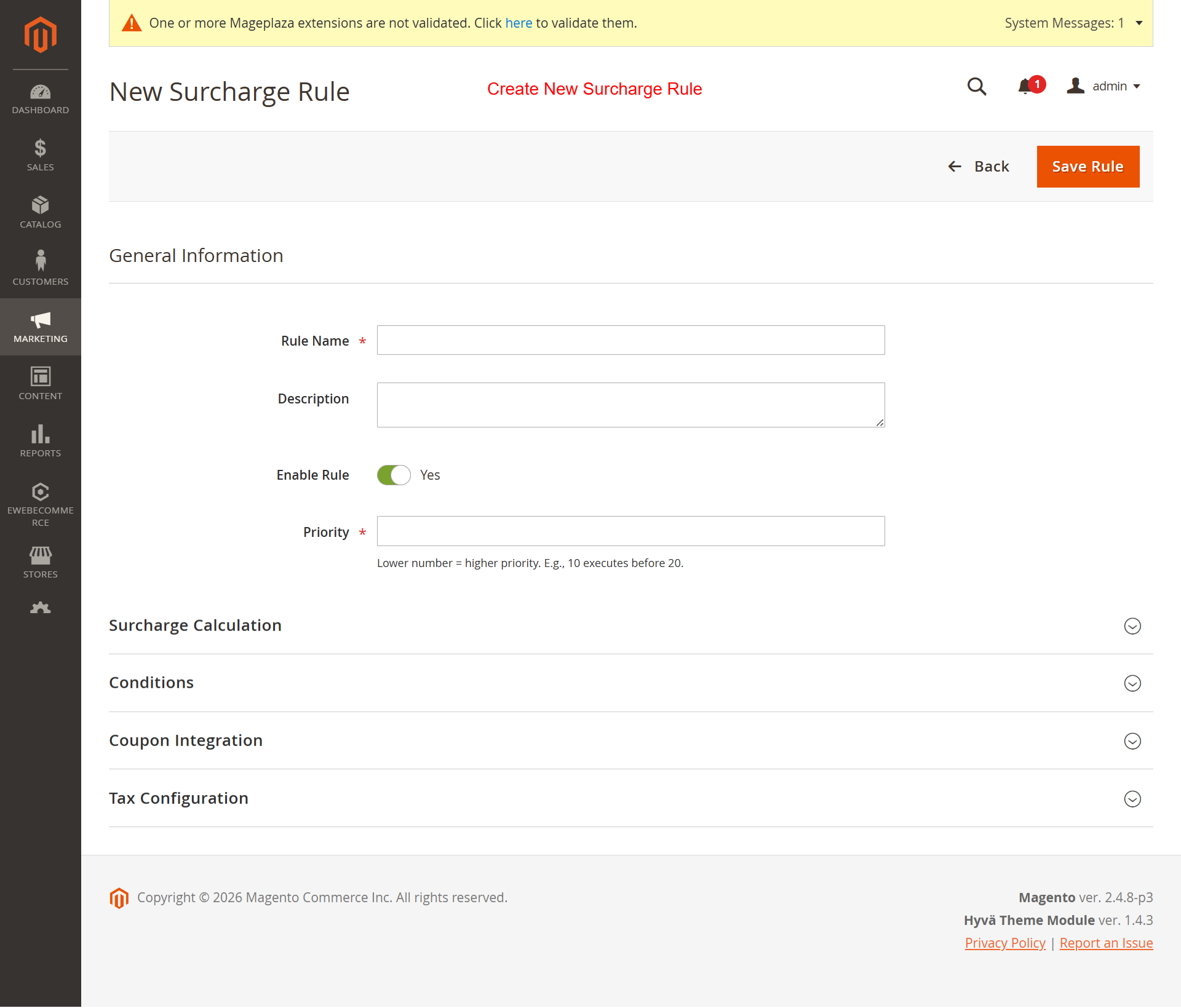
- Advanced Rules Engine — Create unlimited surcharge rules with conditions (customer group, category, product, country, payment method, shipping method)
- Rule Priority System — Control which rules apply first when multiple rules match
- Surcharge Title & Description — Customizable labels shown to customers at checkout
Display & Visibility
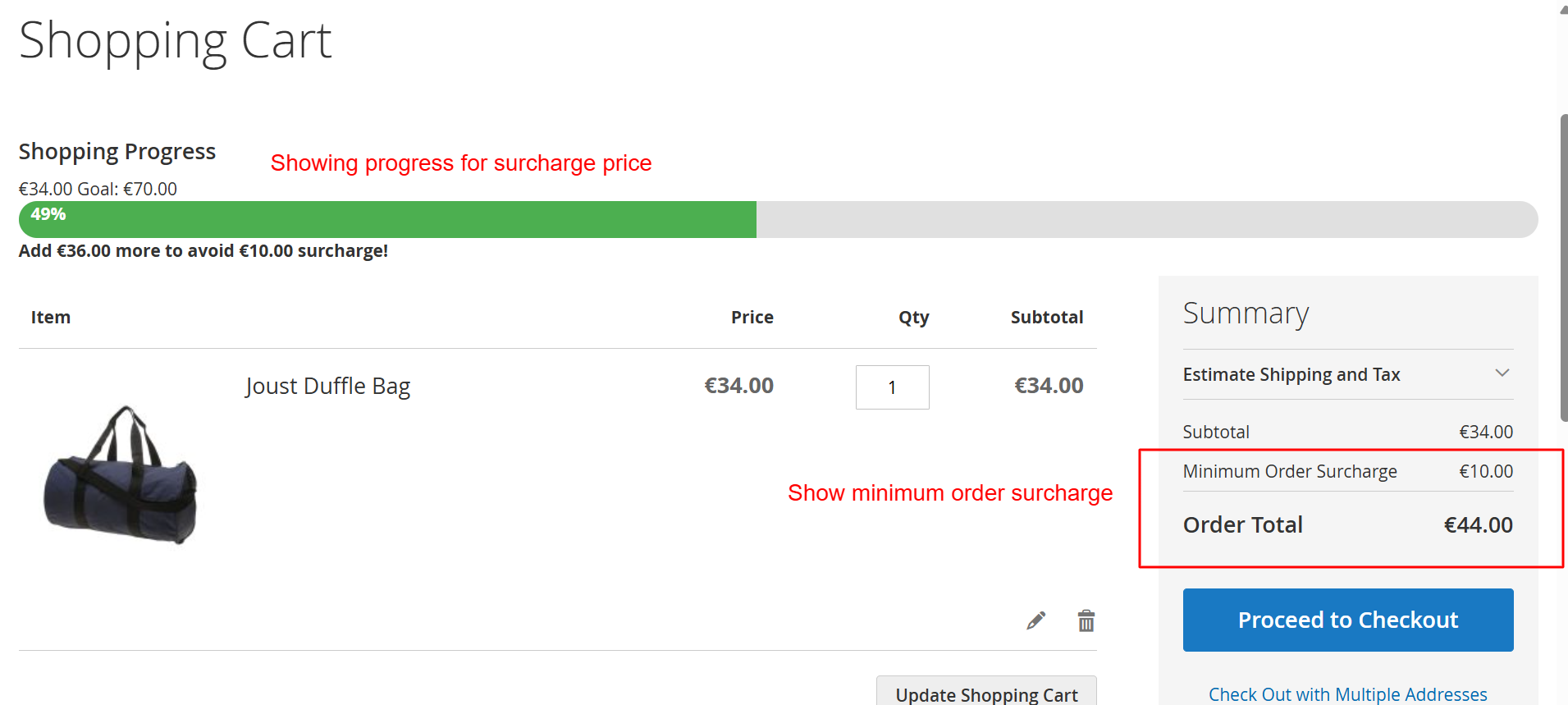
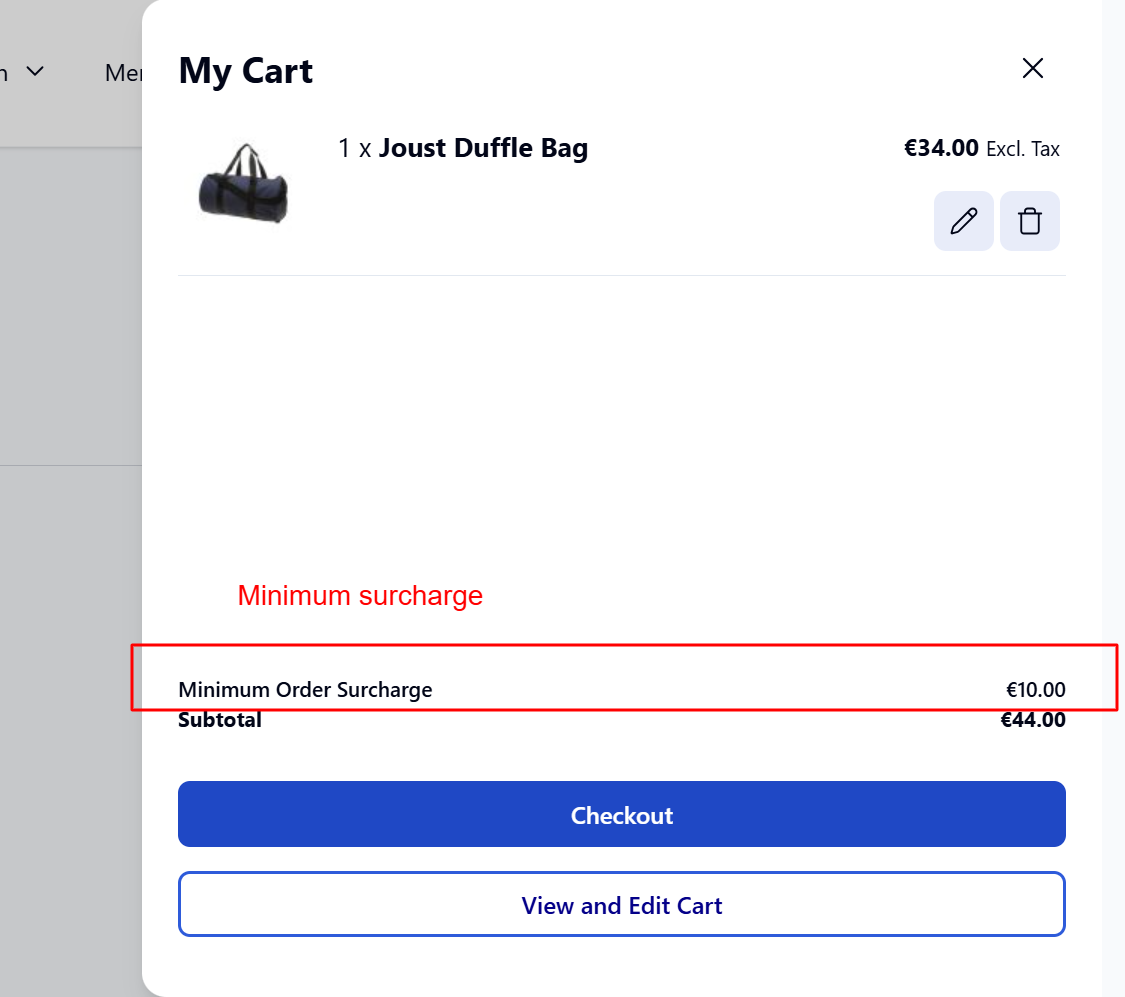
- Cart Page Integration — Show surcharge breakdown on the shopping cart page
- Checkout Integration — Display surcharges in checkout totals with clear messaging
- Shopping Progress Bar — Visual indicator showing how close the customer is to free shipping/no surcharge
- Custom Progress Bar Colors — Match the progress bar to your store's branding
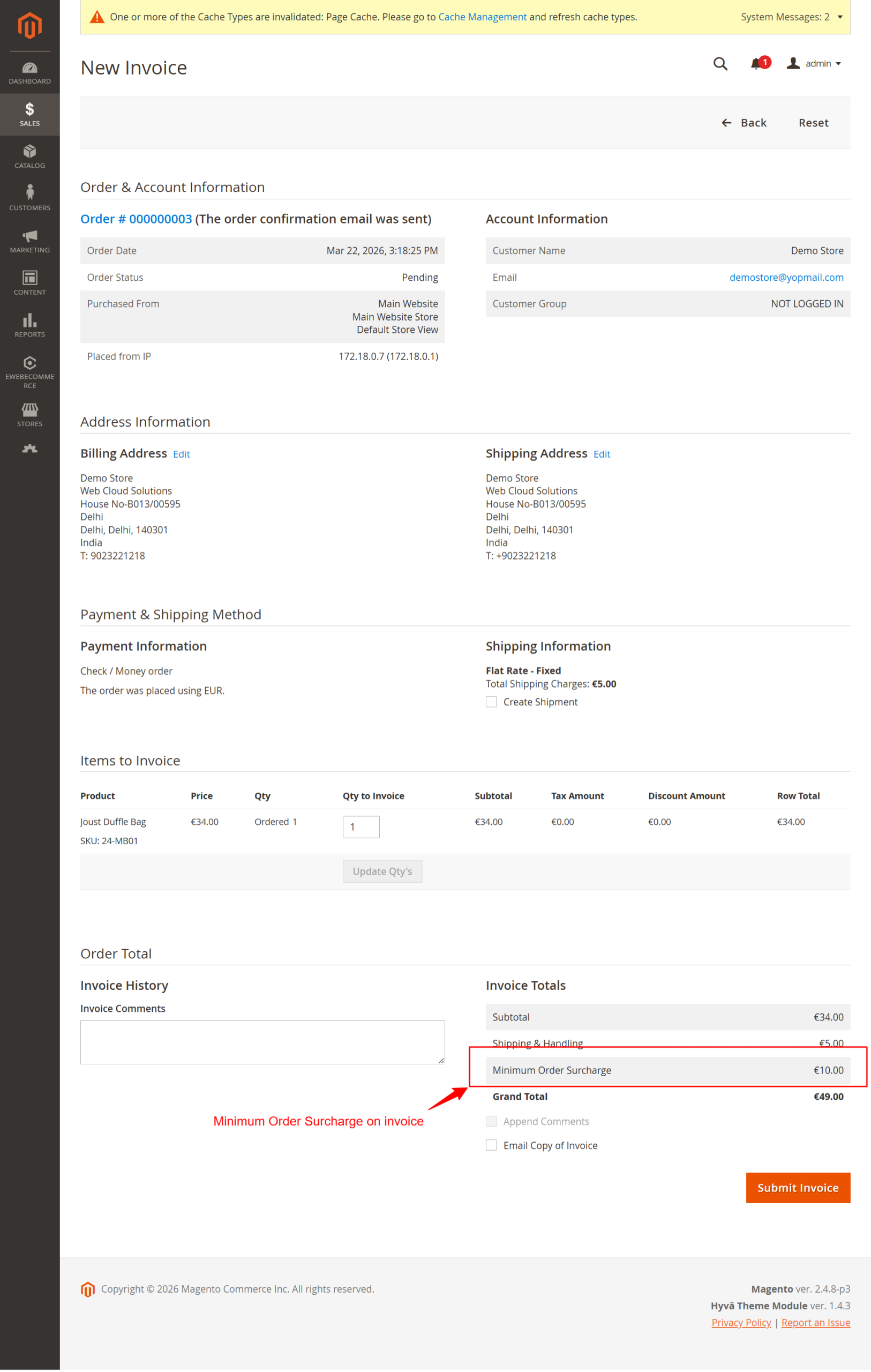
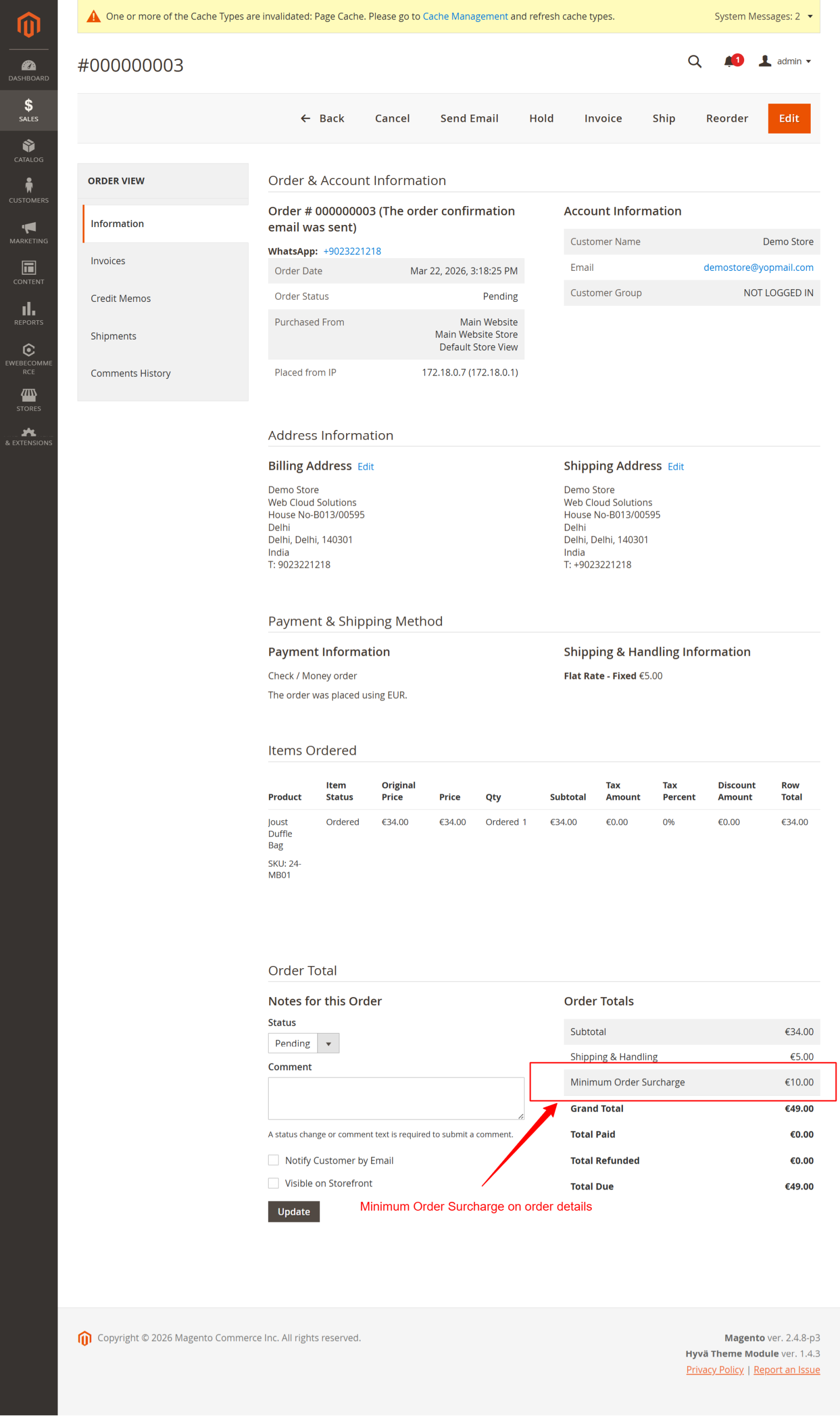
- Admin Order View — Surcharge amounts visible in admin order detail
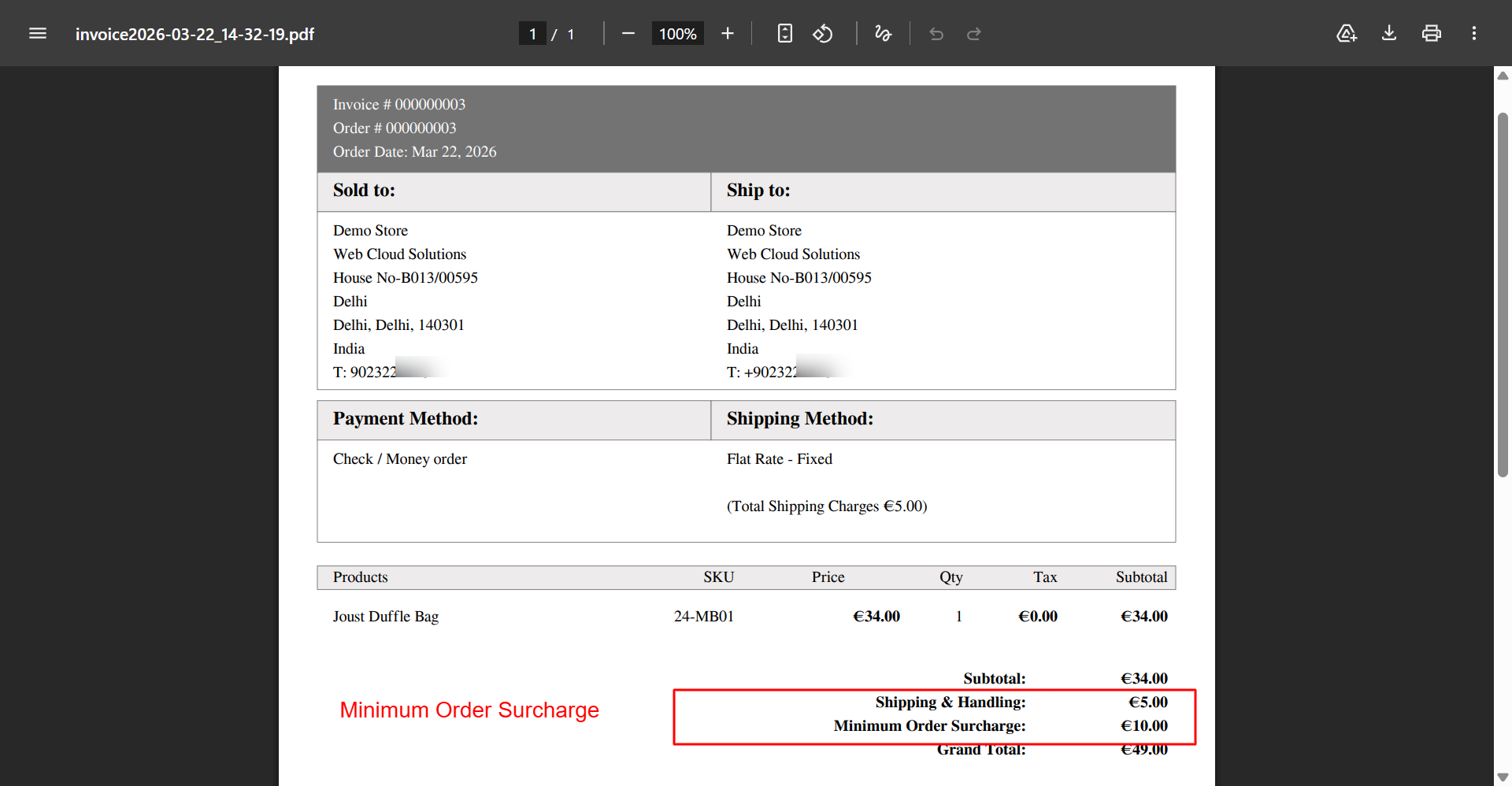
- Invoice & Credit Memo — Surcharges properly included in invoices and credit memos
- Order Email Integration — Surcharge details included in all order confirmation emails
Notifications & Alerts
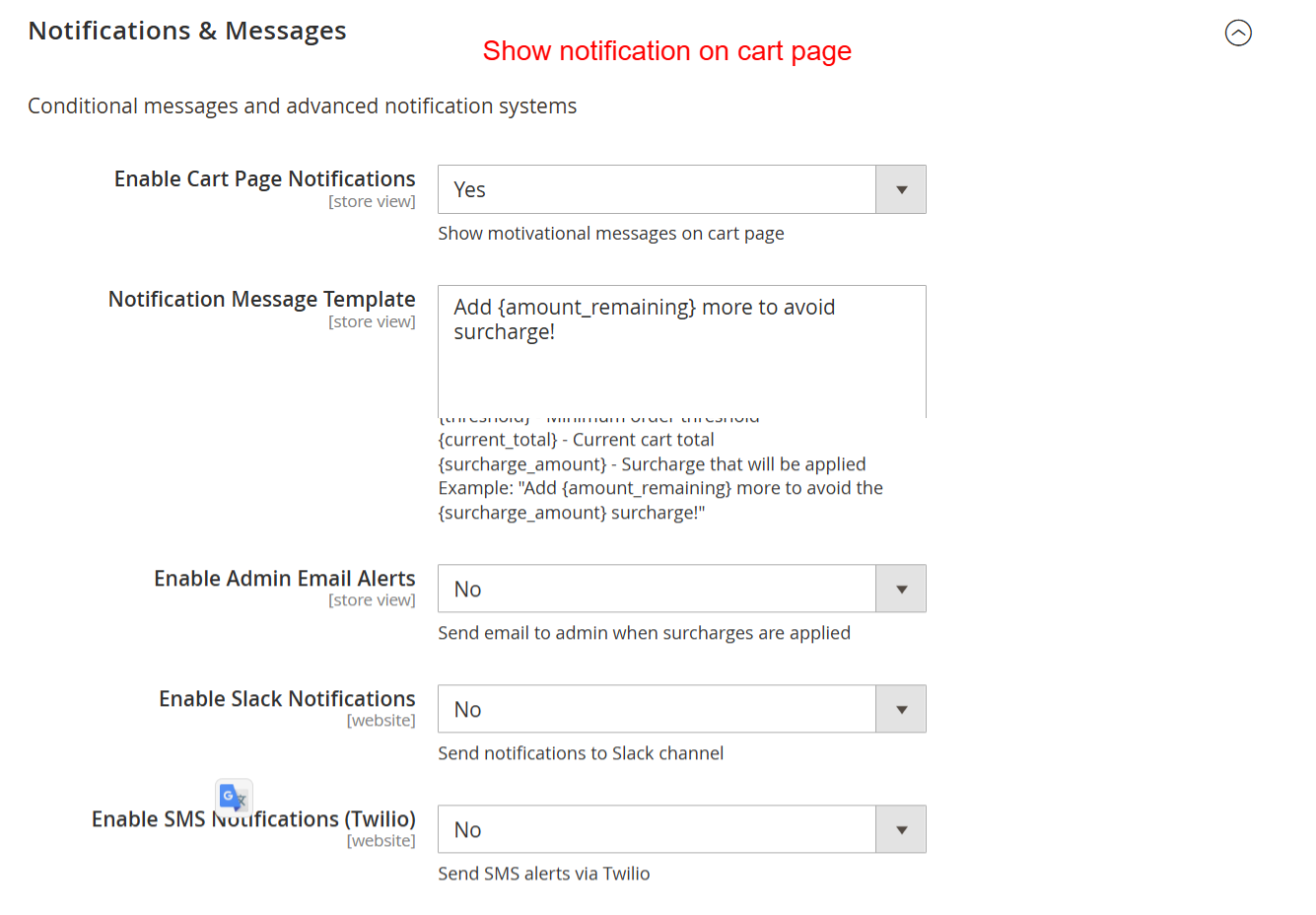
- Cart Page Notifications — Customizable warning messages when cart is below minimum
- Notification Message Templates — Use placeholders for dynamic surcharge amounts and thresholds
- Admin Email Alerts — Get notified when surcharges are applied (configurable frequency)
- Slack Integration — Send surcharge notifications to your Slack channel via webhook
- SMS Notifications (Twilio) — Real-time SMS alerts for high-value surcharges
- Exit Intent Popup — Show a popup when customers try to leave with a surcharge in their cart
Analytics & Reporting
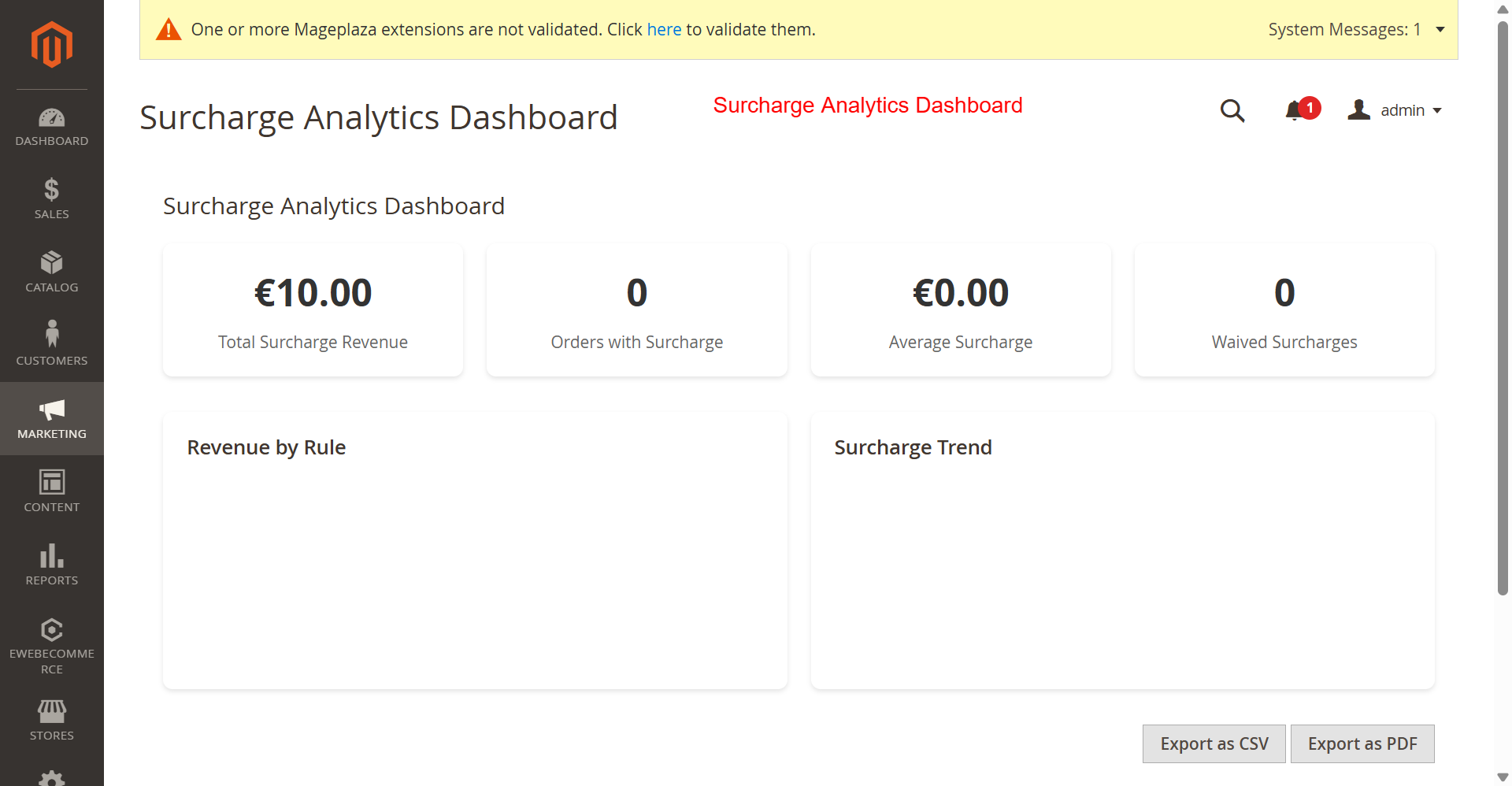
- Analytics Dashboard — Real-time surcharge revenue tracking with charts
- Revenue Tracking — Track total surcharge revenue over time
- Waived Surcharge Tracking — Monitor how often surcharges are removed by coupons
- Performance by Rule — See which surcharge rules are most effective
- Customer Segment Analysis — Track surcharge impact by customer group
- Configurable Data Retention — Set how long analytics data is stored
- Auto Export Reports — Schedule automatic report exports (CSV/JSON)
- Weekly Analytics Report — Automated email report with key surcharge metrics
Cart Abandonment Protection
- Abandonment Detection — Track when customers abandon carts with surcharges
- Exit Intent Popup — Show a special offer when customers try to leave
- Recovery Emails — Automated follow-up emails for abandoned carts with surcharges
- Configurable Delay — Set how long to wait before sending recovery emails
- Discount Offers — Optionally offer a discount in recovery emails to encourage purchase
Tax Configuration
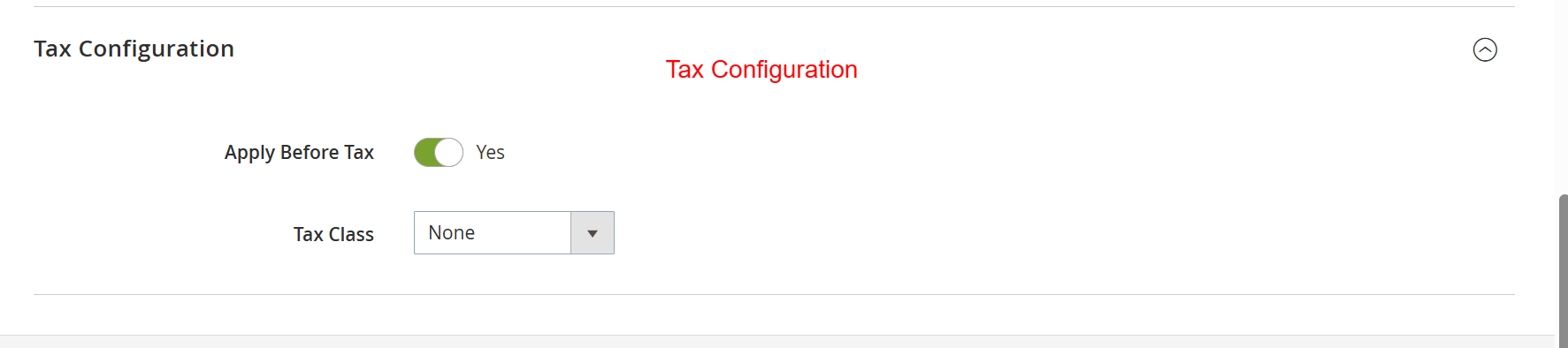
- Pre-Tax or Post-Tax — Apply surcharge before or after tax calculation
- Tax Class Assignment — Assign a specific tax class to surcharges
- Tax Calculation Base — Include or exclude surcharge from the tax calculation base
- Tax Display — Control how surcharge tax is displayed to customers
Coupon Integration
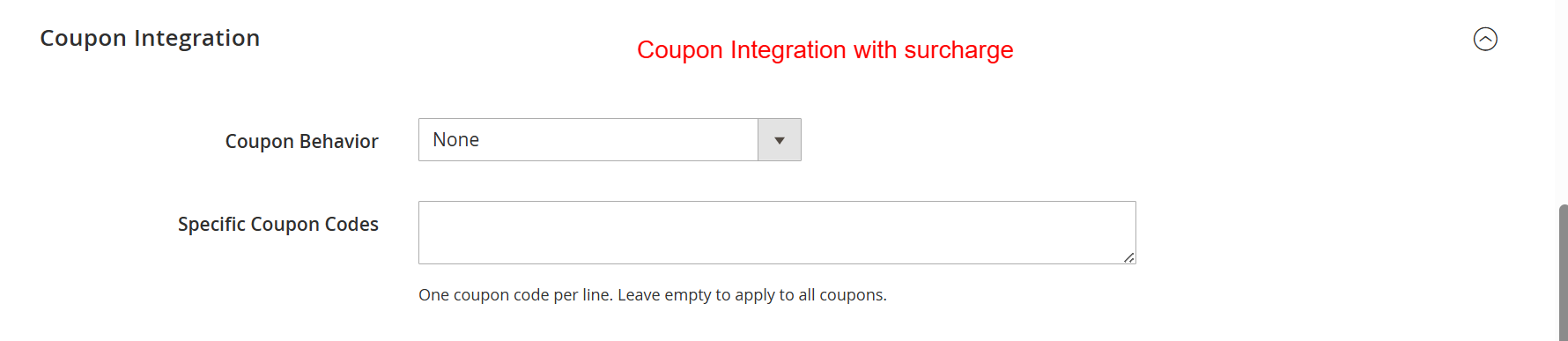
- Coupon Exclusion — Automatically remove surcharge when a valid coupon is applied
- Specific Coupon Codes — Define which coupons should waive the surcharge
- Required Coupon Mode — Require a specific coupon code to avoid surcharge
- Coupon Priority — Control the order of coupon vs. surcharge application
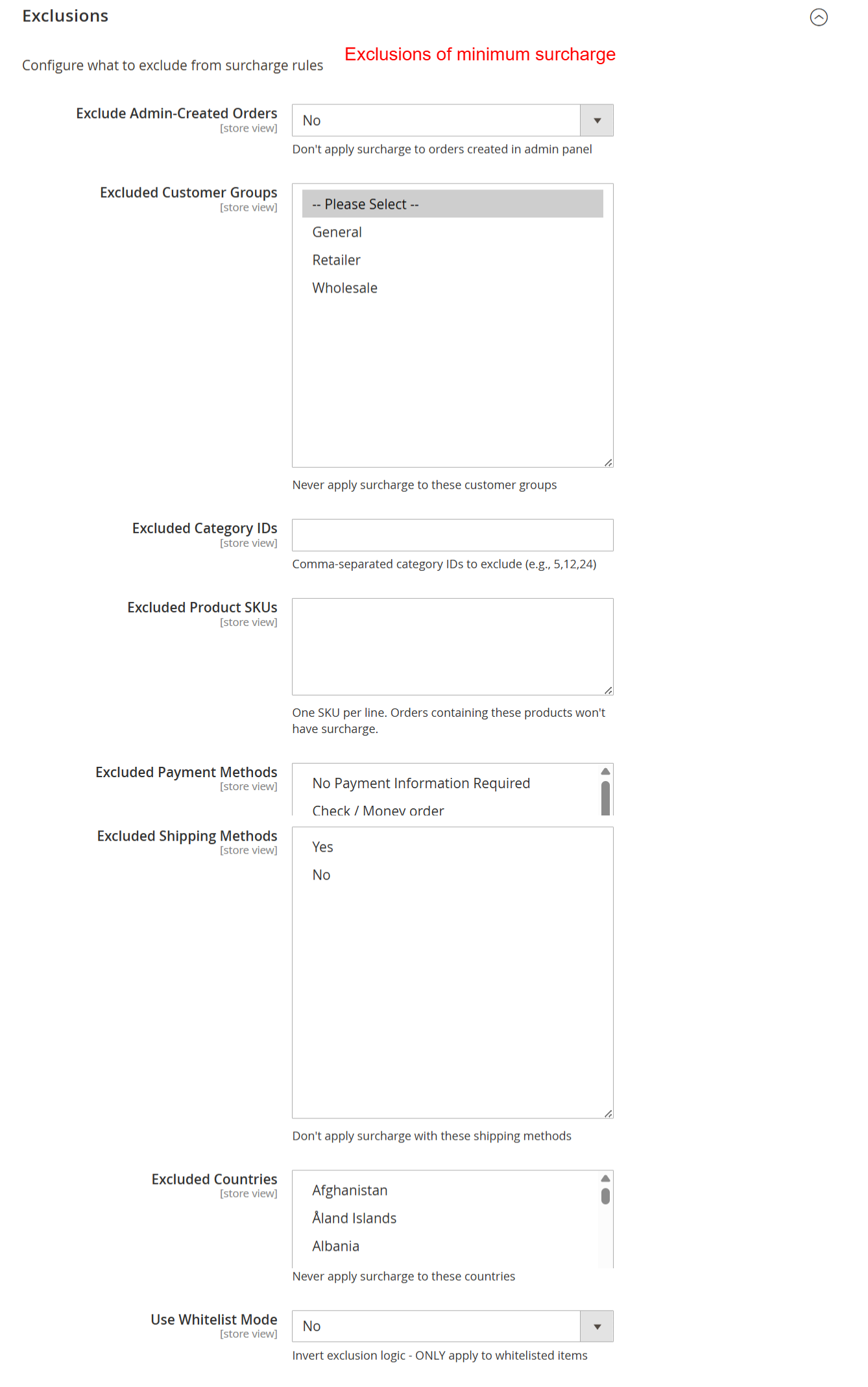
Exclusions
- Admin Orders — Exclude orders created from the admin panel
- Customer Groups — Exclude specific customer groups (e.g., wholesale, VIP)
- Categories — Exclude products from specific categories
- Product SKUs — Exclude specific products by SKU
- Payment Methods — Exclude when specific payment methods are selected
- Shipping Methods — Exclude when specific shipping methods are selected
- Countries — Exclude based on billing/shipping country
- Whitelist Mode — Invert exclusions to only apply surcharge for listed items
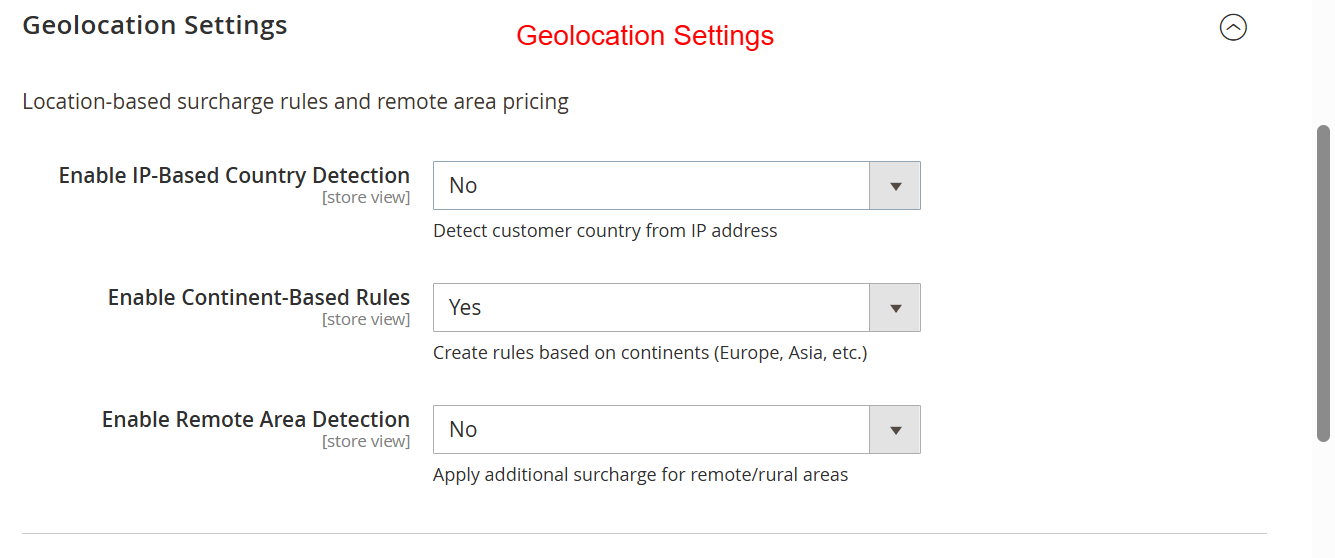
Geolocation
- IP-Based Country Detection — Automatically detect customer country from IP address
- Continent-Based Rules — Apply surcharges by continent (e.g., Asia, Europe, Americas)
- Remote Area Detection — Detect remote/rural areas and apply additional surcharges
- Remote Area Postcodes — Configure specific postcodes as "remote" for extra surcharges
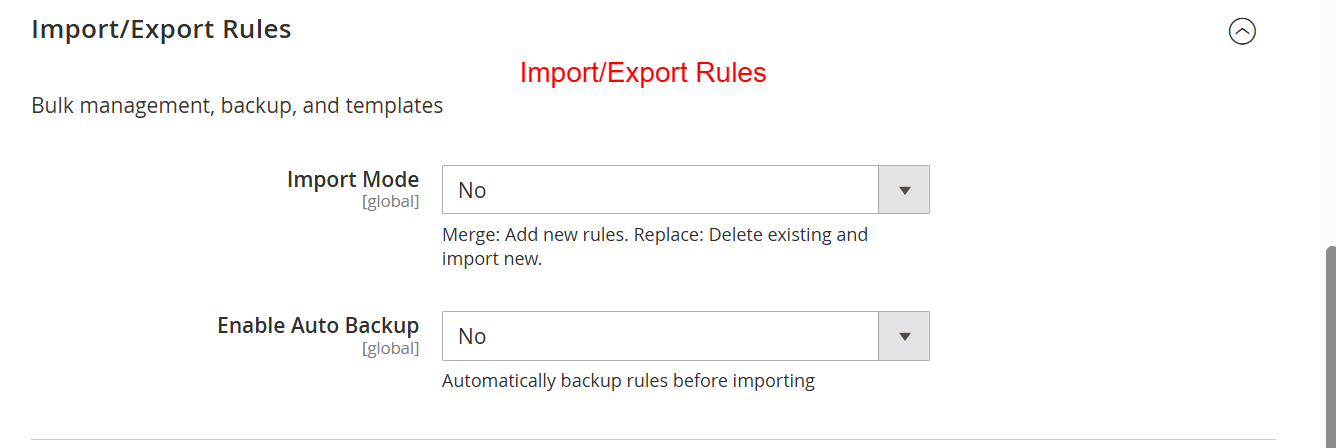
Import/Export
- Export Rules to CSV — Export all surcharge rules for backup or migration
- Import Rules from CSV — Bulk import rules from a CSV file
- Sample CSV Template — Download a sample CSV to see the required format
B2B / Wholesale Features
- B2B Mode — Special minimum order thresholds for B2B/wholesale customers
- B2B Minimum Order Threshold — Set a different minimum specifically for B2B customers
CLI Commands
surcharge:rules:export— Export all surcharge rules to a CSV file from the command linesurcharge:rules:import— Import surcharge rules from a CSV file via CLI
REST API
- GET
/V1/surcharge/rules— Retrieve all surcharge rules - GET
/V1/surcharge/rules/:ruleId— Retrieve a specific rule by ID - POST/PUT
/V1/surcharge/rules/:ruleId— Create or update a surcharge rule
Hyva Theme Support
- Full Hyva Compatibility — Works seamlessly with Hyva theme using Alpine.js and Tailwind CSS
- Luma Compatible — Also works with the default Luma theme and all Luma-based themes
Configuration
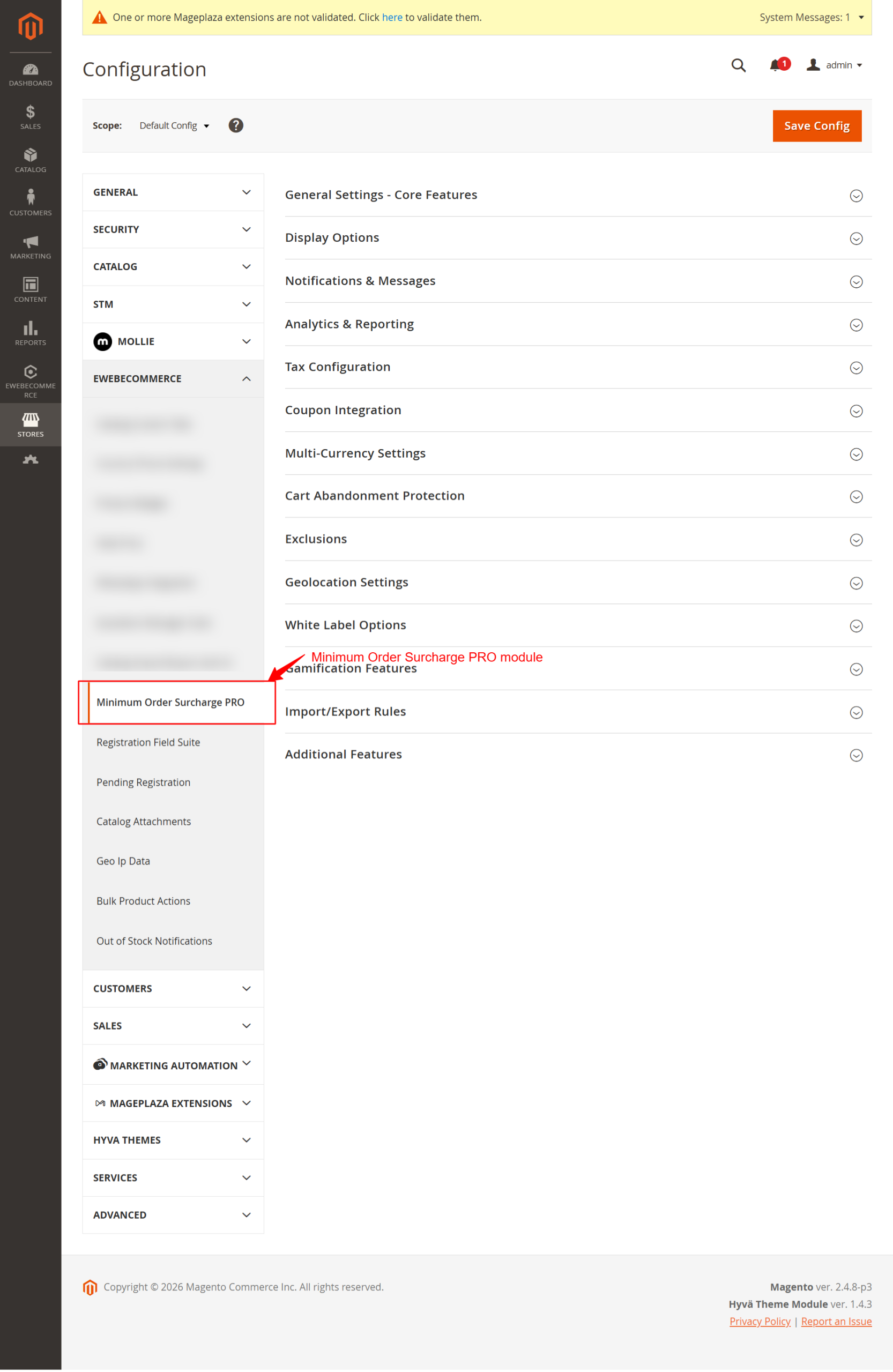
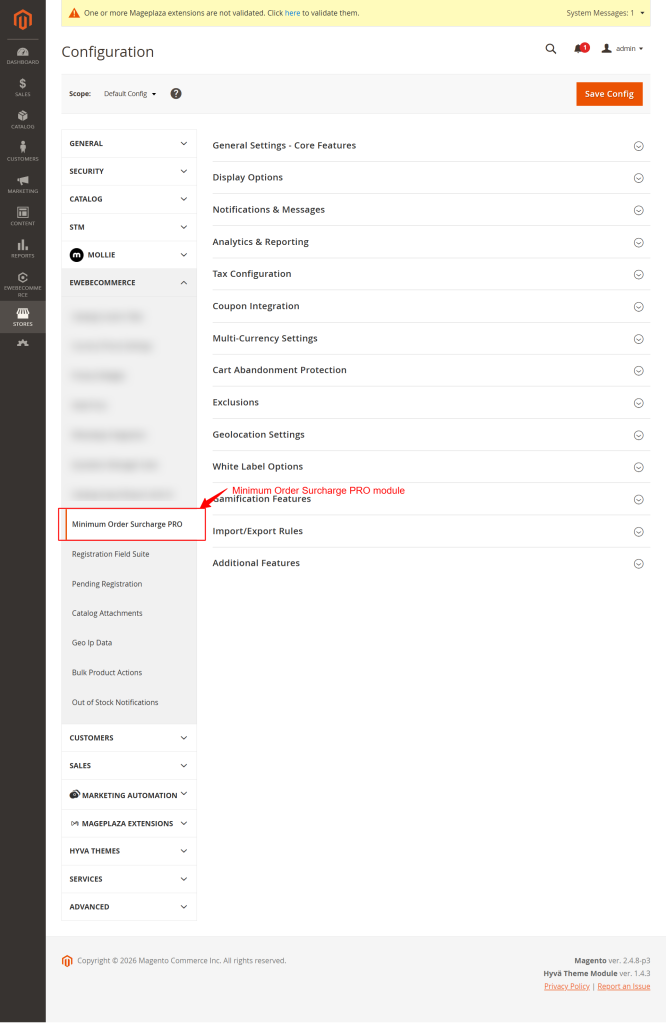
Navigate to Stores → Configuration → Ewebecommerce → Minimum Order Surcharge in the Magento admin panel.
General Settings (16 options)
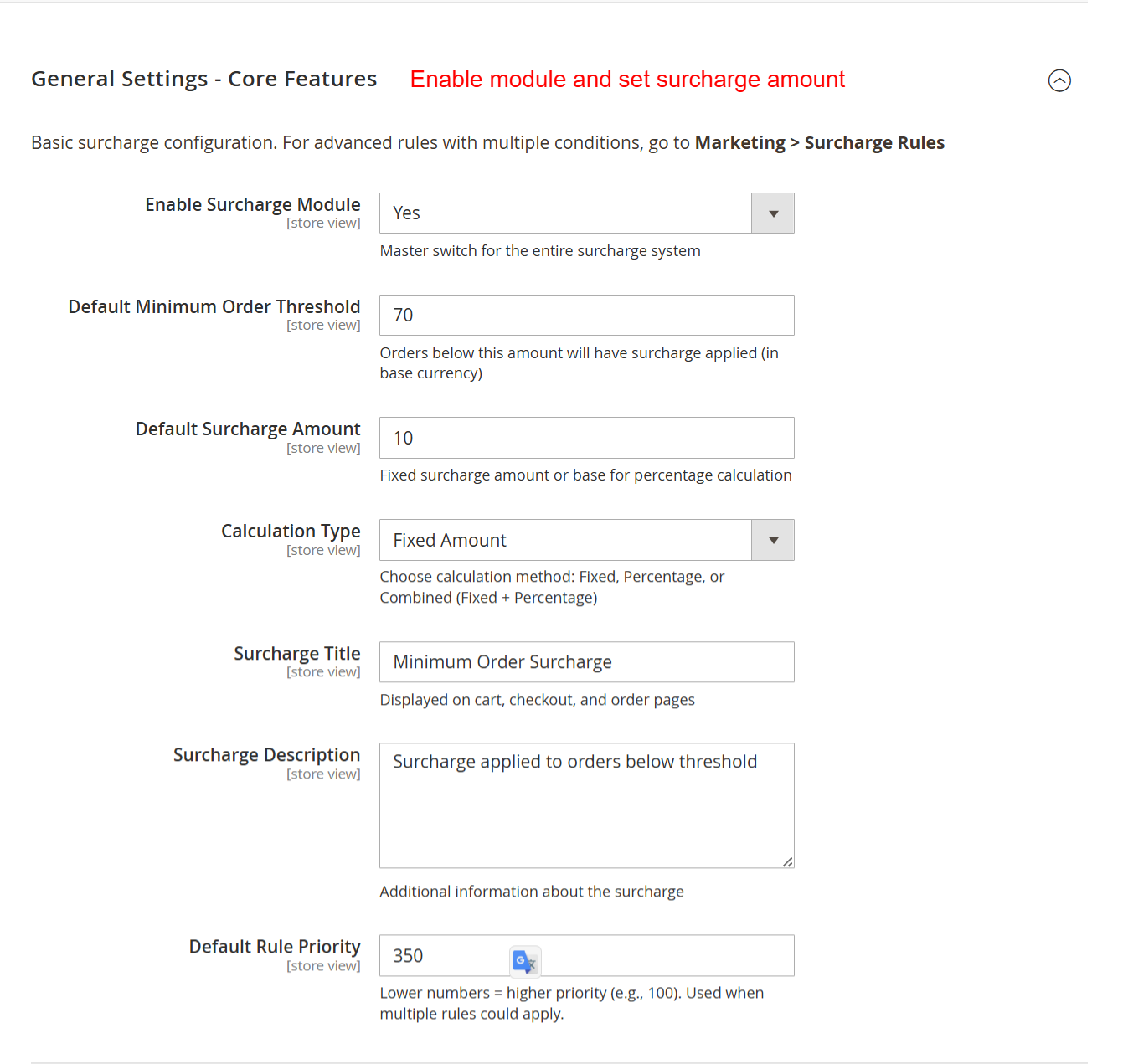
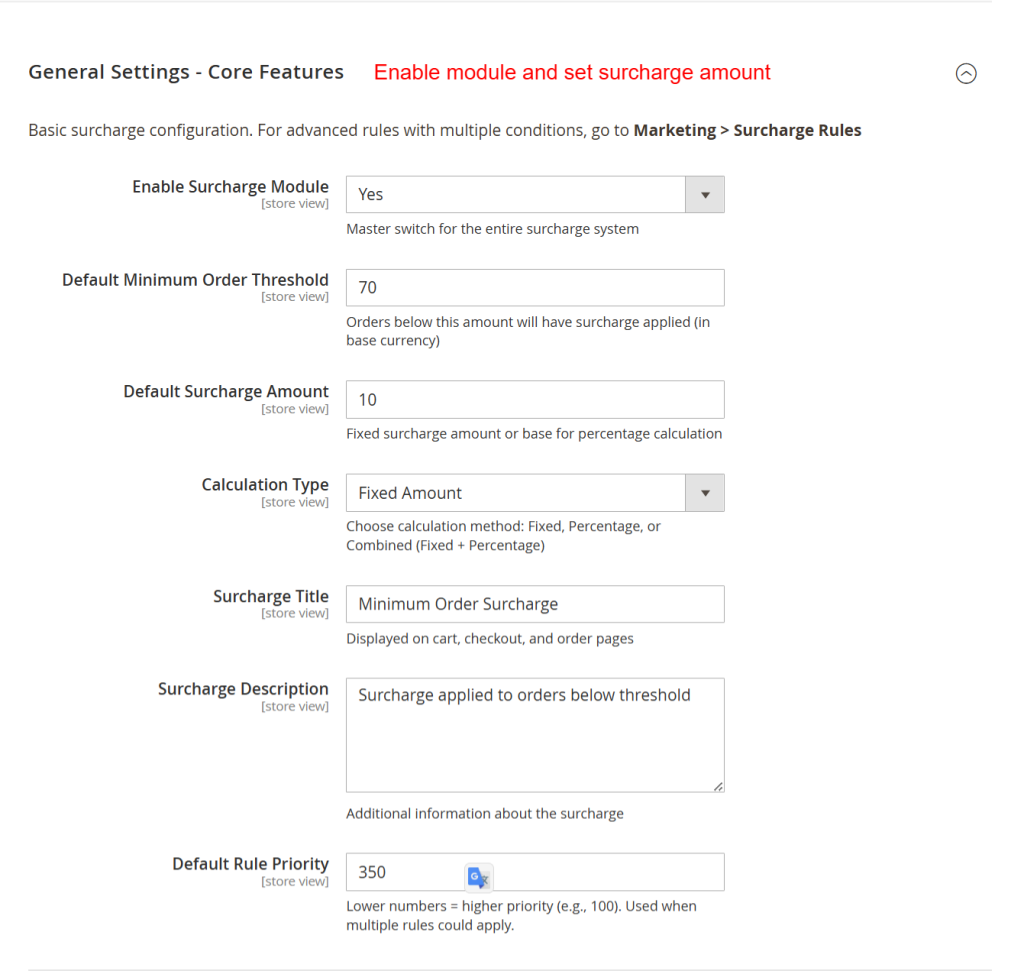
Configure the core surcharge behavior including enable/disable, default threshold, surcharge amount, calculation type, and rule priority.
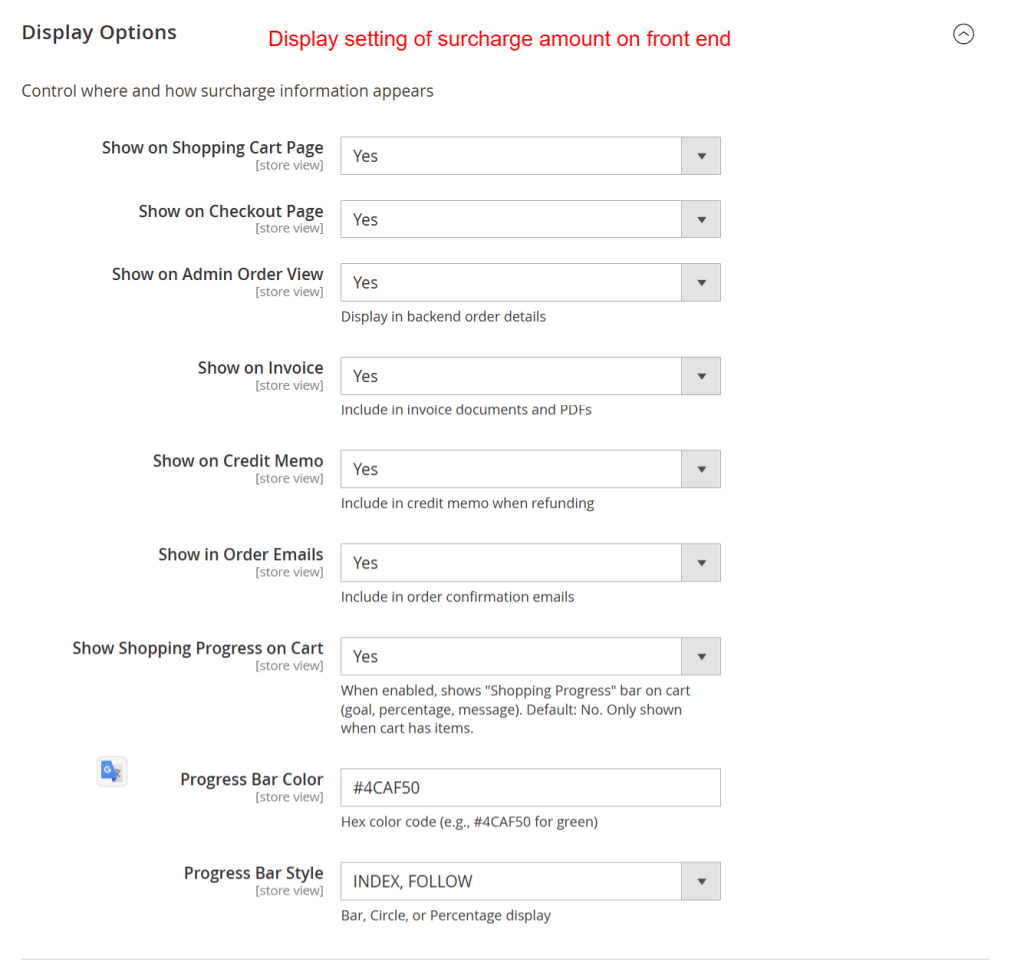
Display Options (11 options)
Control where surcharges are displayed — cart page, checkout, admin, invoices, credit memos, emails, and the shopping progress bar.
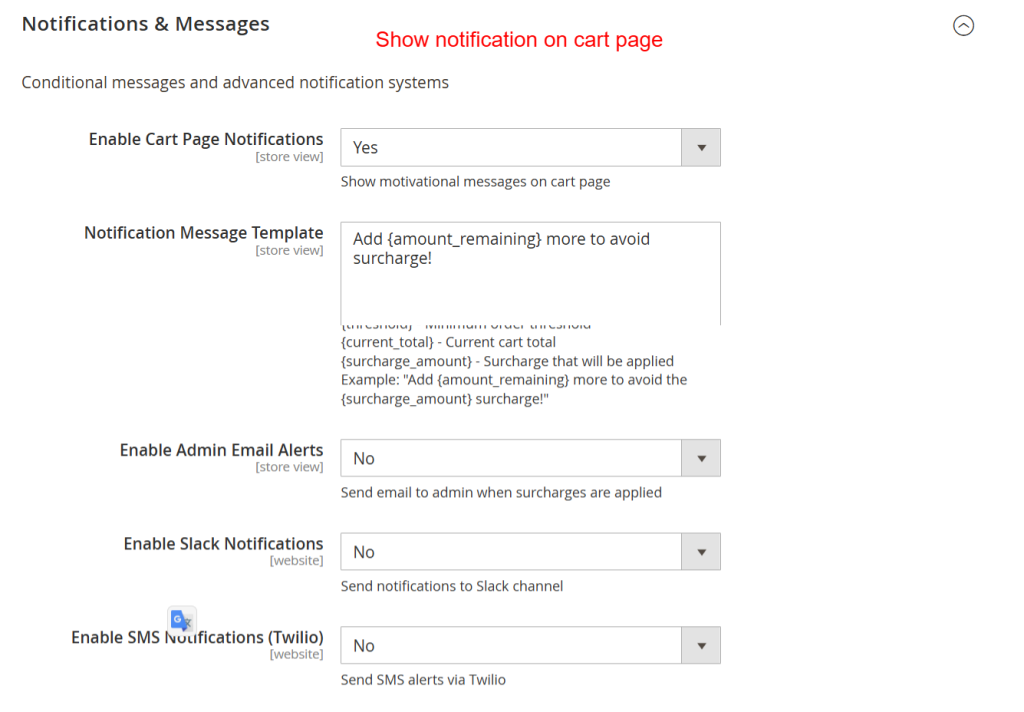
Notifications & Messages (20 options)
Set up cart page notifications, admin email alerts, Slack webhook notifications, and Twilio SMS alerts.
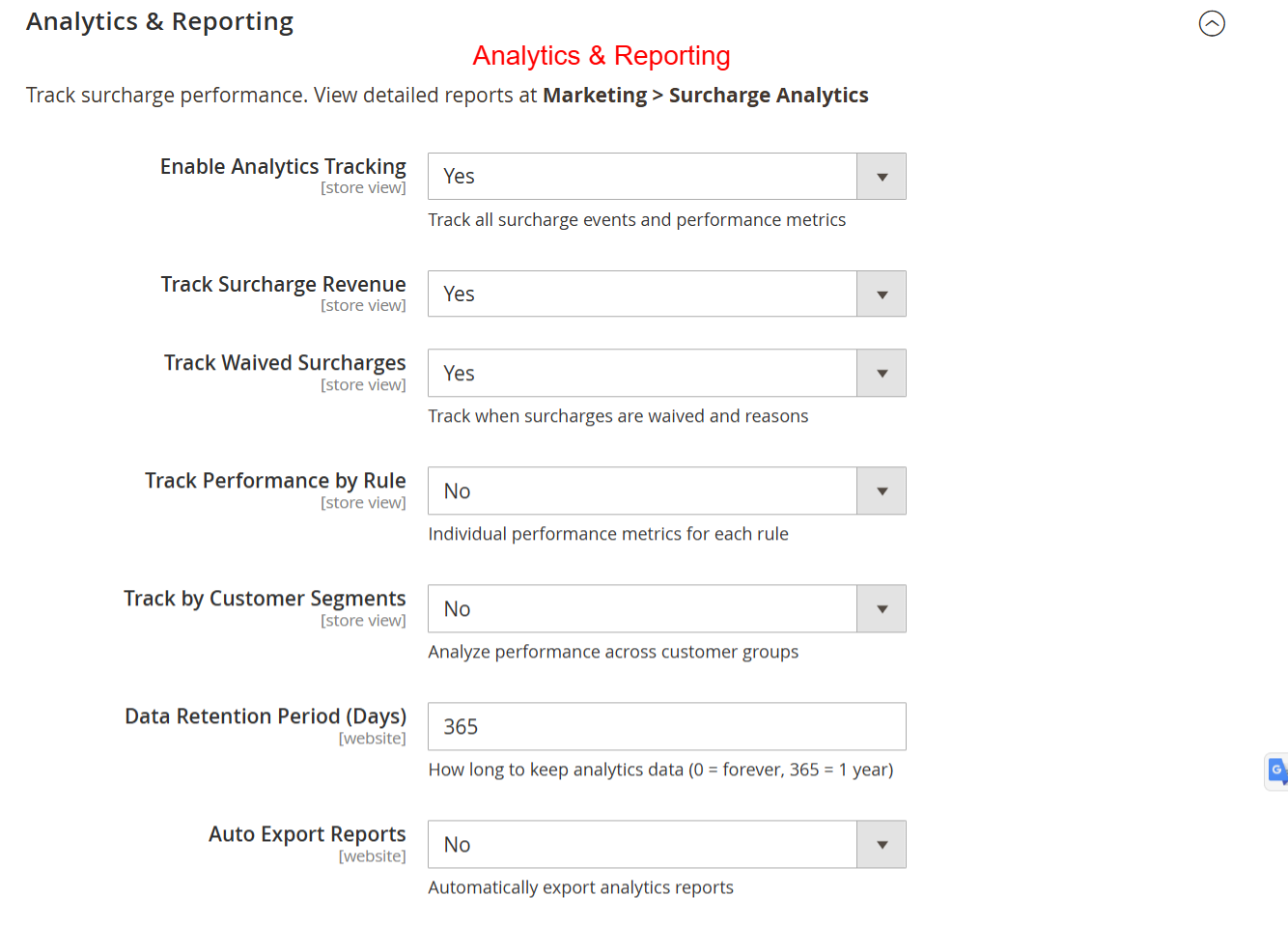
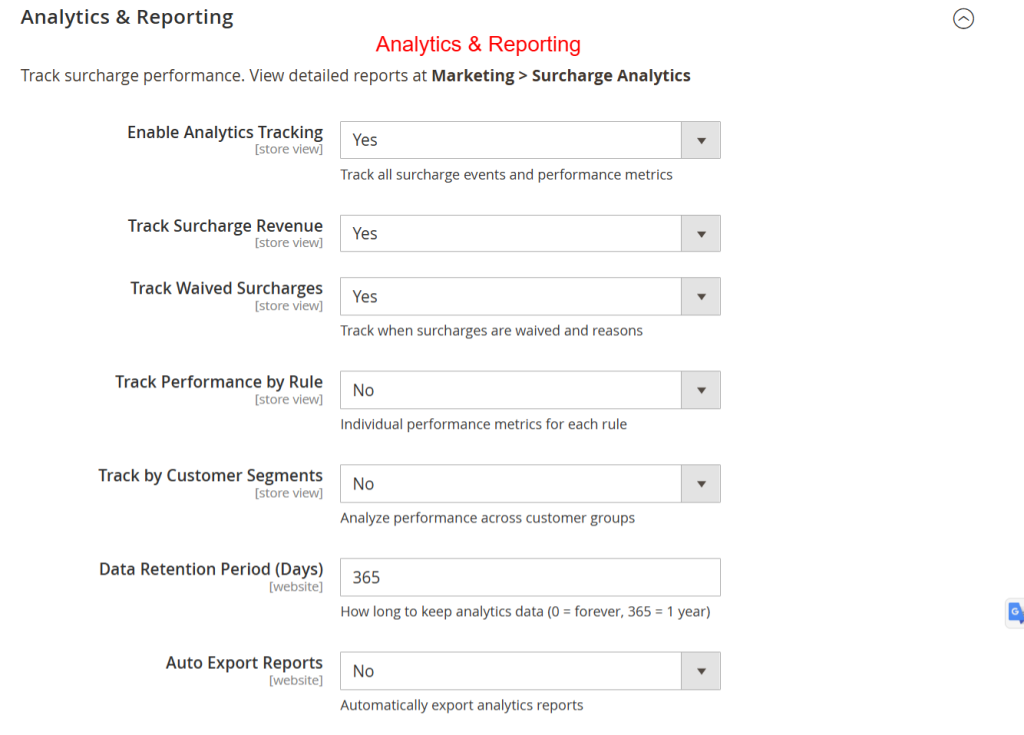
Analytics & Reporting (15 options)
Enable analytics tracking, configure revenue/waiver/performance tracking, set data retention, and schedule auto-exports.
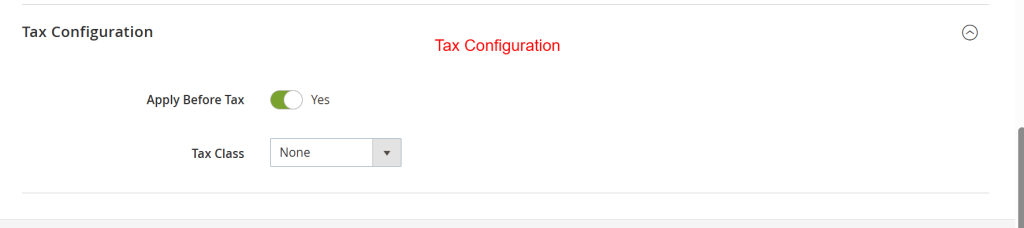
Tax Configuration (4 options)
Configure how surcharges interact with Magento's tax calculation system.
Coupon Integration (7 options)
Set up coupon-based surcharge exclusions and required coupon modes.
Cart Abandonment Protection (11 options)
Configure exit intent popups, recovery emails, and discount offers for abandoned carts.
Exclusions (8 options)
Define which orders, customers, products, and conditions should be excluded from surcharges.
Geolocation Settings (7 options)
Set up country/continent/remote area detection for location-based surcharges.
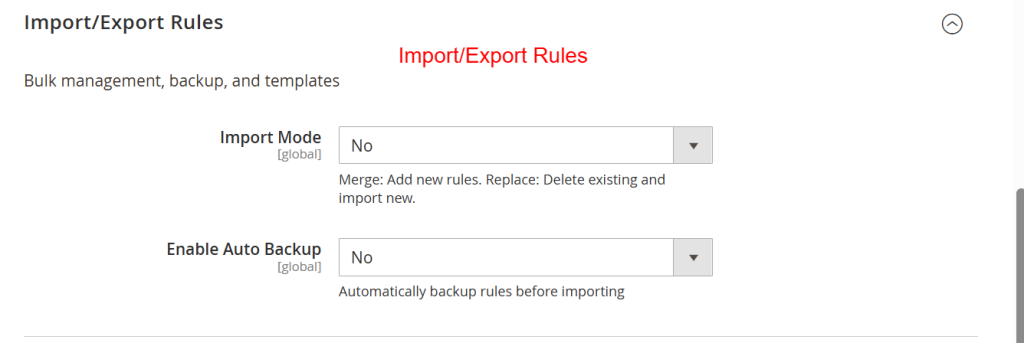
Import/Export (2 options)
Export rules to CSV or import rules from CSV for bulk management.
⚙️ Configuration
Navigate to Stores → Configuration in Magento Admin.
Minimum Order Surcharge PRO
General Settings - Core Features
| Field | Type | Description |
|---|---|---|
| Enable Surcharge Module | select |
Master switch for the entire surcharge system |
| Default Minimum Order Threshold | text |
Orders below this amount will have surcharge applied (in base currency) |
text |
||
| Default Surcharge Amount | text |
Fixed surcharge amount or base for percentage calculation |
text |
||
| Calculation Type | select |
Choose calculation method: Fixed, Percentage, or Combined (Fixed + Percentage) |
text |
||
| Surcharge Percentage | text |
Percentage to apply (e.g., 10 for 10%) |
text |
||
text |
||
| Surcharge Title | text |
Displayed on cart, checkout, and order pages |
text |
||
| Surcharge Description | textarea |
Additional information about the surcharge |
text |
||
| Default Rule Priority | text |
Lower numbers = higher priority (e.g., 100). Used when multiple rules could apply. |
text |
Display Options
| Field | Type | Description |
|---|---|---|
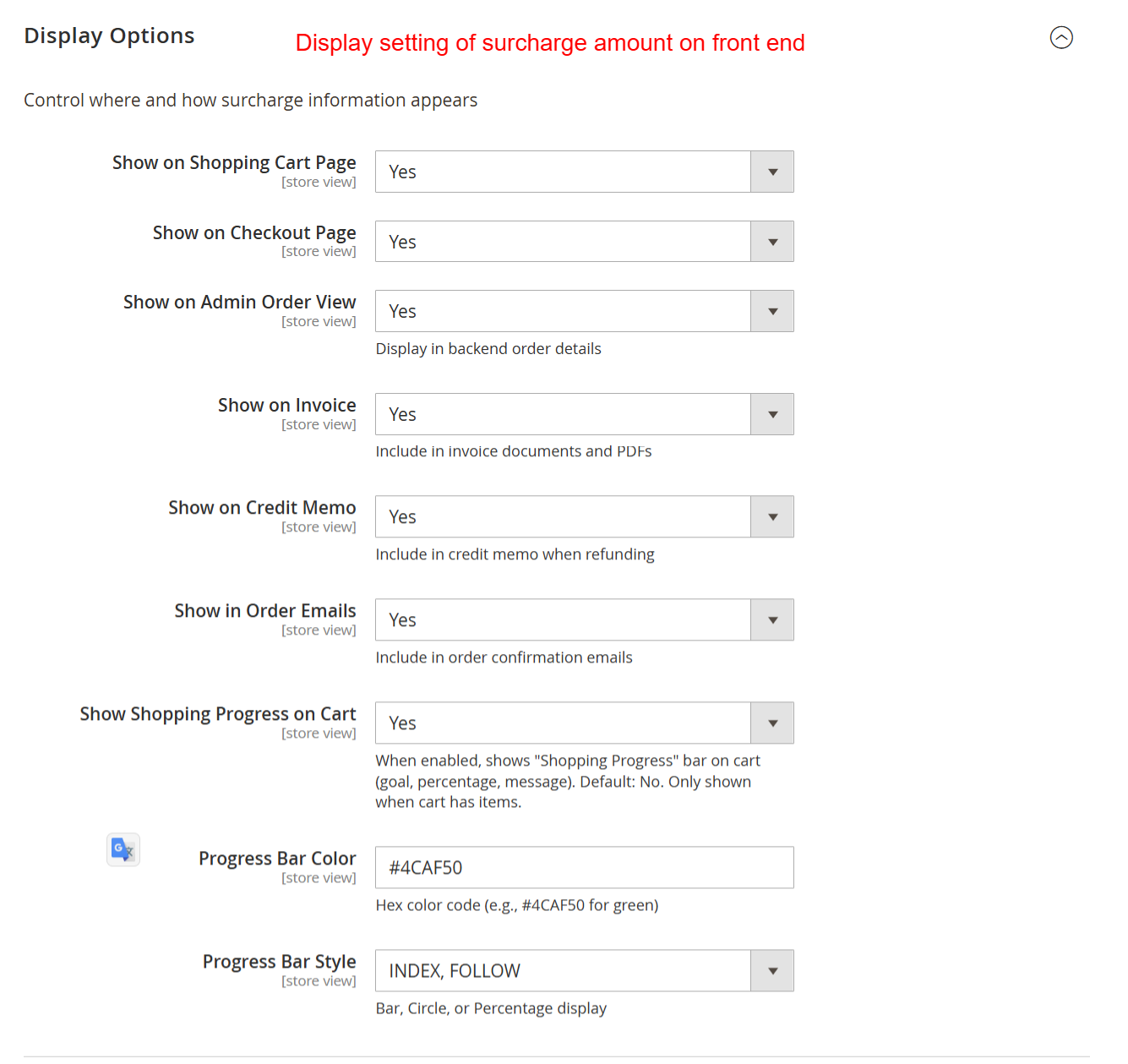
| Show on Shopping Cart Page | select |
|
| Show on Checkout Page | select |
|
| Show on Admin Order View | select |
Display in backend order details |
| Show on Invoice | select |
Include in invoice documents and PDFs |
| Show on Credit Memo | select |
Include in credit memo when refunding |
| Show in Order Emails | select |
Include in order confirmation emails |
| Show Shopping Progress on Cart | select |
When enabled, shows "Shopping Progress" bar on cart (goal, percentage, message). Default: No. Only shown when cart has items. |
| Progress Bar Color | text |
Hex color code (e.g., #4CAF50 for green) |
text |
||
| Progress Bar Style | select |
Bar, Circle, or Percentage display |
text |
Notifications & Messages
| Field | Type | Description |
|---|---|---|
| Enable Cart Page Notifications | select |
Show motivational messages on cart page |
| Notification Message Template | textarea |
Available variables:<br/> {amount_remaining} - Amount needed to reach threshold<br/> {threshold} - Minimum order threshold<br/> {current_total} - Current cart total<br/> {surcharge_amount} - Surcharge that will be applied<br/> Example: "Add {amount_remaining} more to avoid the {surcharge_amount} surcharge!" |
text |
||
| Enable Admin Email Alerts | select |
Send email to admin when surcharges are applied |
| Admin Email Address | text |
|
text |
||
| Email Alert Frequency | select |
Per order, Daily digest, or Weekly digest |
text |
||
| Enable Slack Notifications | select |
Send notifications to Slack channel |
| Slack Webhook URL | text |
Get webhook URL from your Slack workspace settings |
text |
||
| Enable SMS Notifications (Twilio) | select |
Send SMS alerts via Twilio |
| Twilio Account SID | text |
|
text |
||
| Twilio Auth Token | obscure |
|
text |
||
| Twilio From Phone Number | text |
Format: +15551234567 |
text |
||
| Admin Phone Number for SMS | text |
Format: +15551234567 |
text |
Analytics & Reporting
| Field | Type | Description |
|---|---|---|
| Enable Analytics Tracking | select |
Track all surcharge events and performance metrics |
| Track Surcharge Revenue | select |
|
text |
||
| Track Waived Surcharges | select |
Track when surcharges are waived and reasons |
text |
||
| Track Performance by Rule | select |
Individual performance metrics for each rule |
text |
||
| Track by Customer Segments | select |
Analyze performance across customer groups |
text |
||
| Data Retention Period (Days) | text |
How long to keep analytics data (0 = forever, 365 = 1 year) |
text |
||
| Auto Export Reports | select |
Automatically export analytics reports |
text |
||
| Export Format | select |
CSV, PDF, or Excel |
text |
Tax Configuration
| Field | Type | Description |
|---|---|---|
| Apply Surcharge Before Tax | select |
Yes = Surcharge calculated before tax. No = Surcharge calculated after tax |
| Tax Class for Surcharge | select |
Select the tax class to apply to surcharge amount |
| Include Surcharge in Tax Calculation Base | select |
Should surcharge be included when calculating taxes for other items? |
| Display Surcharge Tax | select |
Including tax, Excluding tax, or Both |
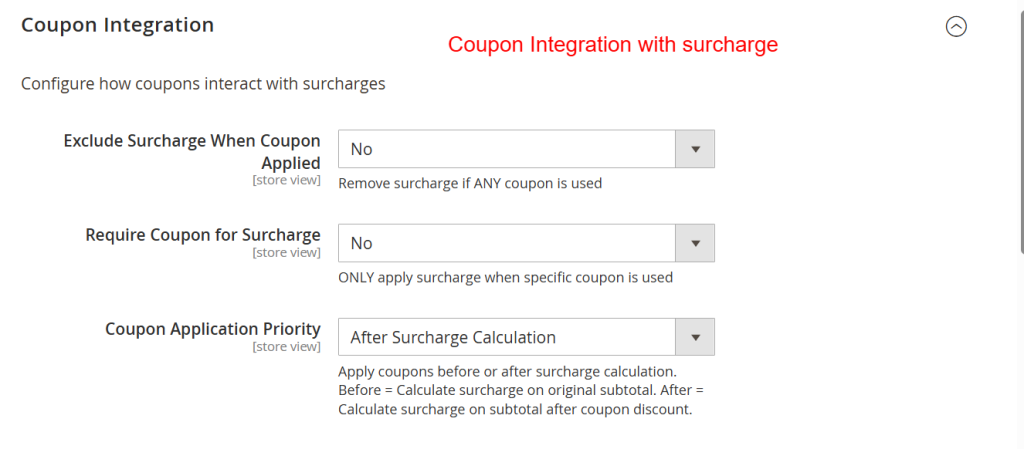
Coupon Integration
| Field | Type | Description |
|---|---|---|
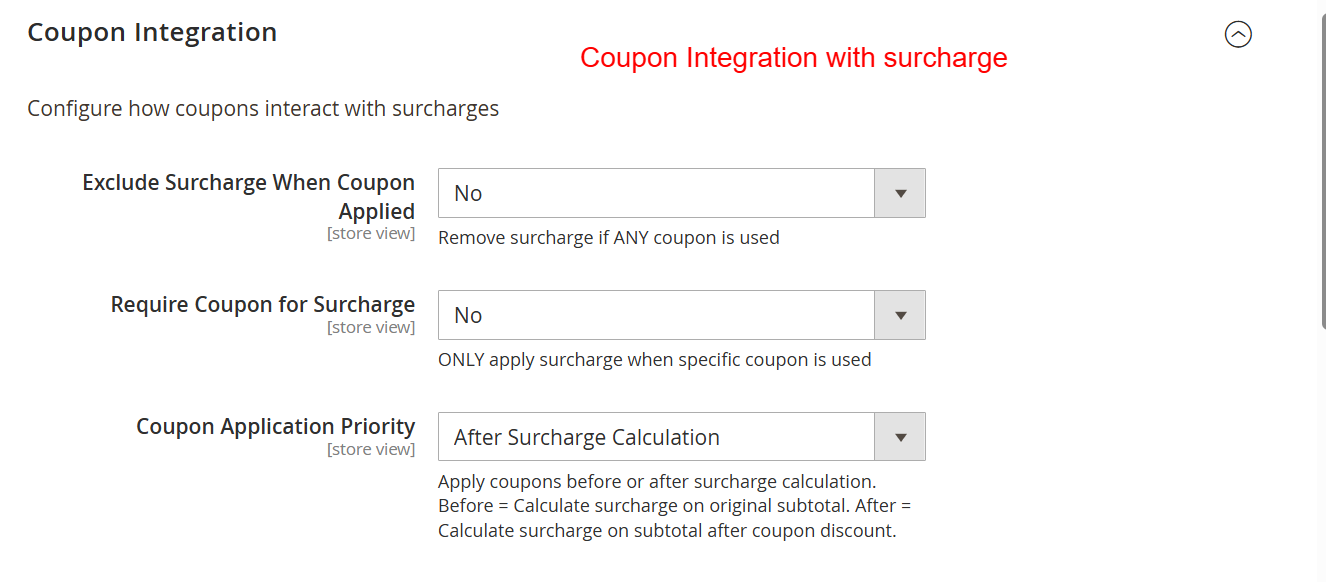
| Exclude Surcharge When Coupon Applied | select |
Remove surcharge if ANY coupon is used |
| Specific Coupon Codes (Exclude) | textarea |
One coupon code per line. Leave empty to apply to all coupons. |
text |
||
| Require Coupon for Surcharge | select |
ONLY apply surcharge when specific coupon is used |
| Required Coupon Codes | textarea |
One per line. Surcharge only applies with these coupons. |
text |
||
| Coupon Application Priority | select |
Apply coupons before or after surcharge calculation. Before = Calculate surcharge on original subtotal. After = Calculate surcharge on subtotal after coupon discount. |
Cart Abandonment Protection
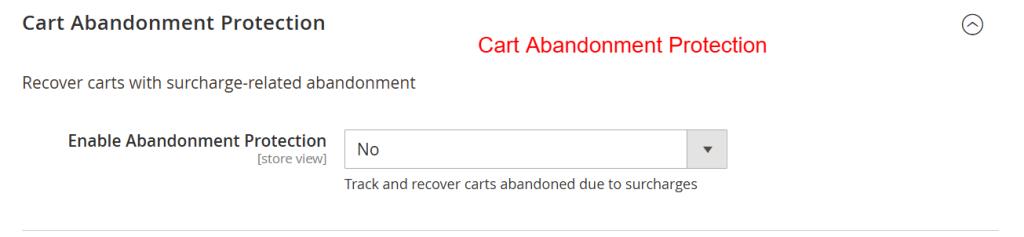
| Field | Type | Description |
|---|---|---|
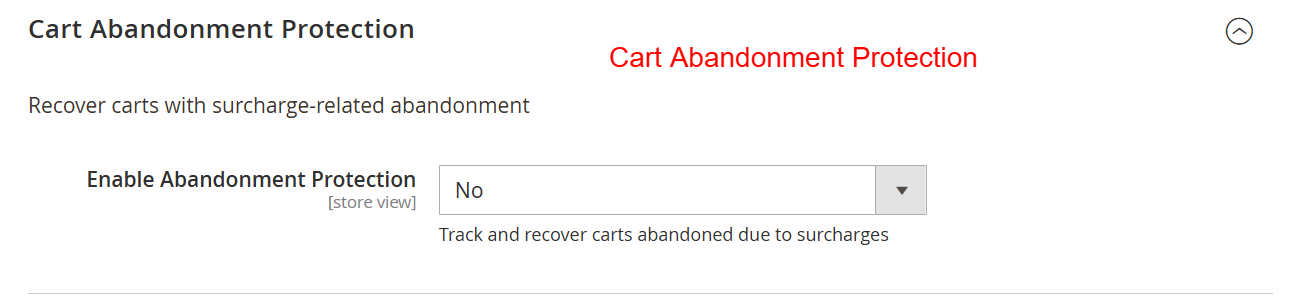
| Enable Abandonment Protection | select |
Track and recover carts abandoned due to surcharges |
| Enable Exit Intent Popup | select |
Show popup when customer tries to leave cart page |
text |
||
| Exit Intent Message | textarea |
Message shown in exit popup |
text |
||
| Enable Recovery Emails | select |
Send automated cart recovery emails |
text |
||
| Recovery Email Delay (Hours) | text |
Hours after cart abandonment before sending email (e.g., 24) |
text |
||
| Offer Discount in Recovery Email | select |
Include discount code to waive surcharge |
text |
Exclusions
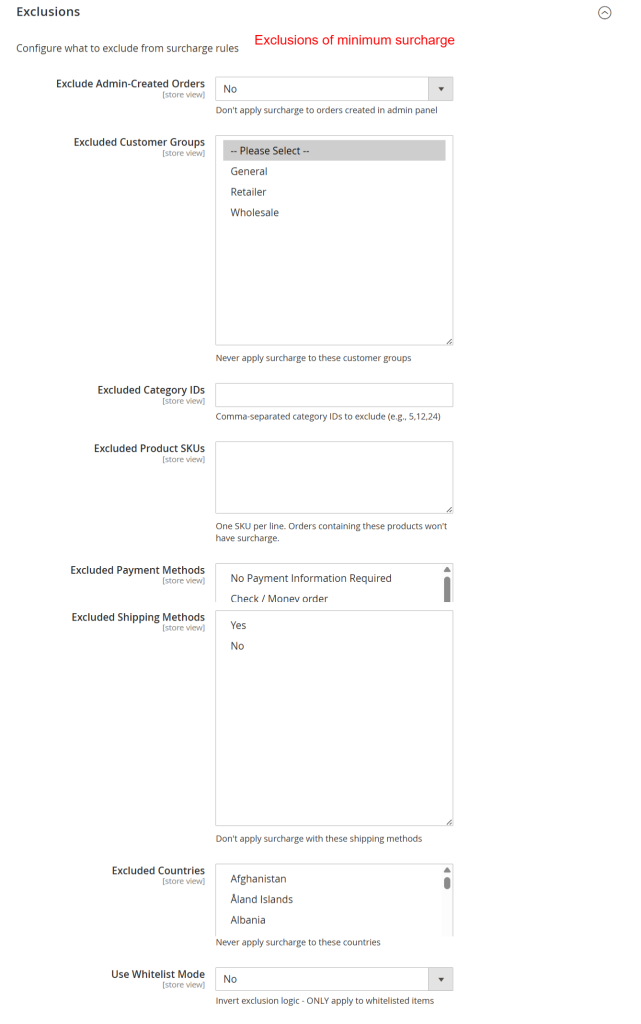
| Field | Type | Description |
|---|---|---|
| Exclude Admin-Created Orders | select |
Don't apply surcharge to orders created in admin panel |
| Excluded Customer Groups | multiselect |
Never apply surcharge to these customer groups |
| Excluded Category IDs | text |
Comma-separated category IDs to exclude (e.g., 5,12,24) |
| Excluded Product SKUs | textarea |
One SKU per line. Orders containing these products won't have surcharge. |
| Excluded Payment Methods | multiselect |
Don't apply surcharge with these payment methods |
| Excluded Shipping Methods | multiselect |
Don't apply surcharge with these shipping methods |
| Excluded Countries | multiselect |
Never apply surcharge to these countries |
| Use Whitelist Mode | select |
Invert exclusion logic - ONLY apply to whitelisted items |
Geolocation Settings
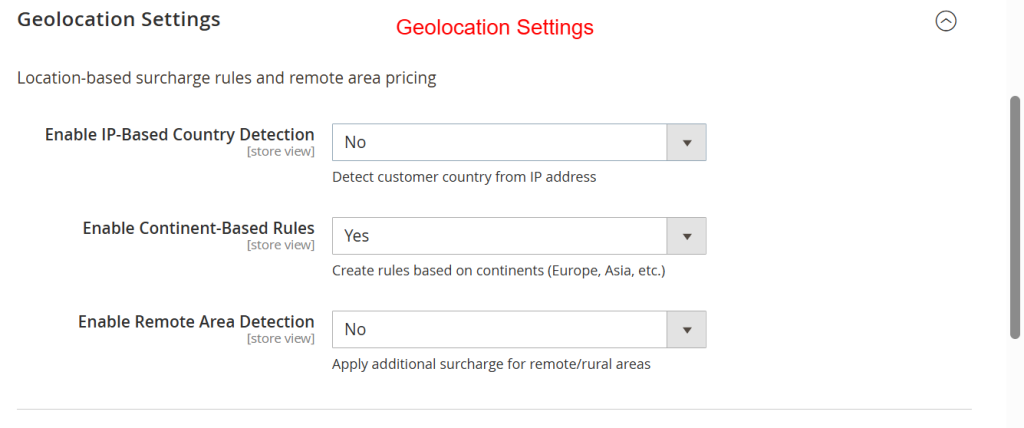
| Field | Type | Description |
|---|---|---|
| Enable IP-Based Country Detection | select |
Detect customer country from IP address |
| Enable Continent-Based Rules | select |
Create rules based on continents (Europe, Asia, etc.) |
| Enable Remote Area Detection | select |
Apply additional surcharge for remote/rural areas |
| Additional Remote Area Surcharge | text |
Extra surcharge for remote/rural areas (fixed amount) |
text |
||
| Remote Area Postcodes | textarea |
One postcode or range per line (e.g., 12345 or 10000-20000) |
text |
Import/Export Rules
| Field | Type | Description |
|---|---|---|
| Export / Sample CSV | button |
|
| Import Rules from CSV | button |
Additional Features
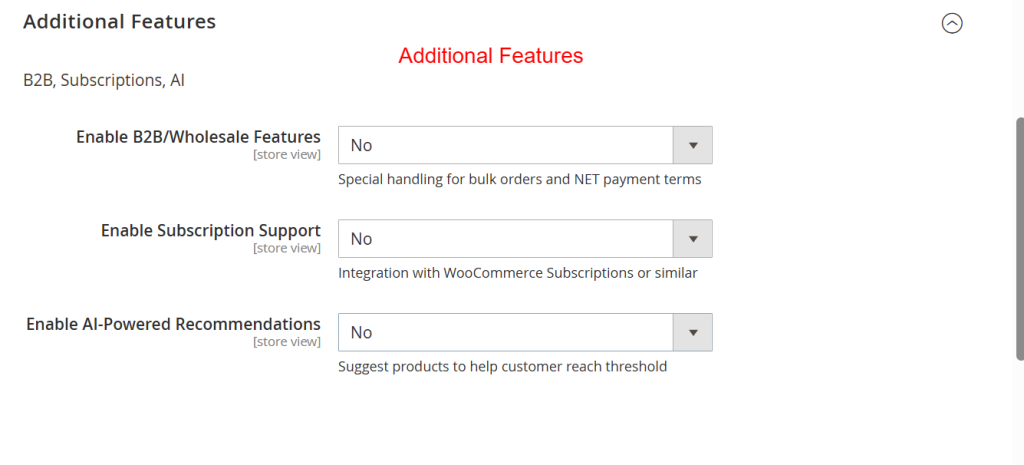
| Field | Type | Description |
|---|---|---|
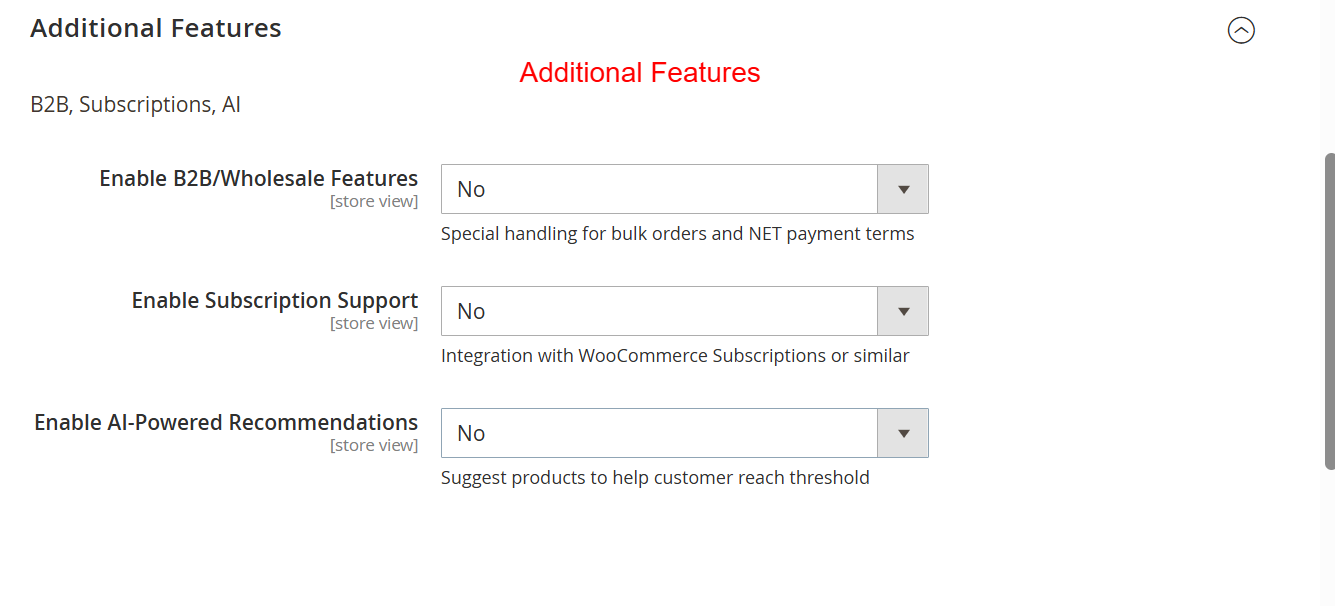
| Enable B2B/Wholesale Features | select |
Special handling for bulk orders and NET payment terms |
| B2B Minimum Order Threshold | text |
|
text |



Reviews
There are no reviews yet.