
1 Overview
Automatically add a surcharge fee to WooCommerce orders below a specified threshold.
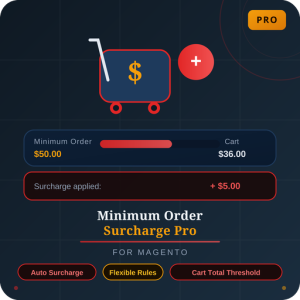
Minimum Order Surcharge for WooCommerce is designed to streamline the application of surcharge fees on orders that don't meet a minimum threshold. With a simple configuration process, this plugin ensures that operational costs for smaller orders are adequately covered, encouraging customers to meet minimum order values.
Key features include full WooCommerce compatibility, multi-currency support, and seamless integration with popular PDF invoice plugins. It's perfect for B2B operations, marketplaces, and any store looking to enforce minimum order rules while still accepting smaller purchases.
At a Glance
- Easily configurable settings
- Seamless WooCommerce integration
- Multi-currency compatibility
- Includes in cart, checkout, and emails
- Supports popular PDF invoice plugins
- HPOS and REST API ready
- Translation ready
- No third-party service dependency
| Plugin | Minimum Order Surcharge for WooCommerce |
|---|---|
| Version | 1.0.0 |
| Author | Web Cloud Solutions |
| License | GPLv2 or later |
| WooCommerce | Compatible |
| Files | 23 total (7 PHP) |
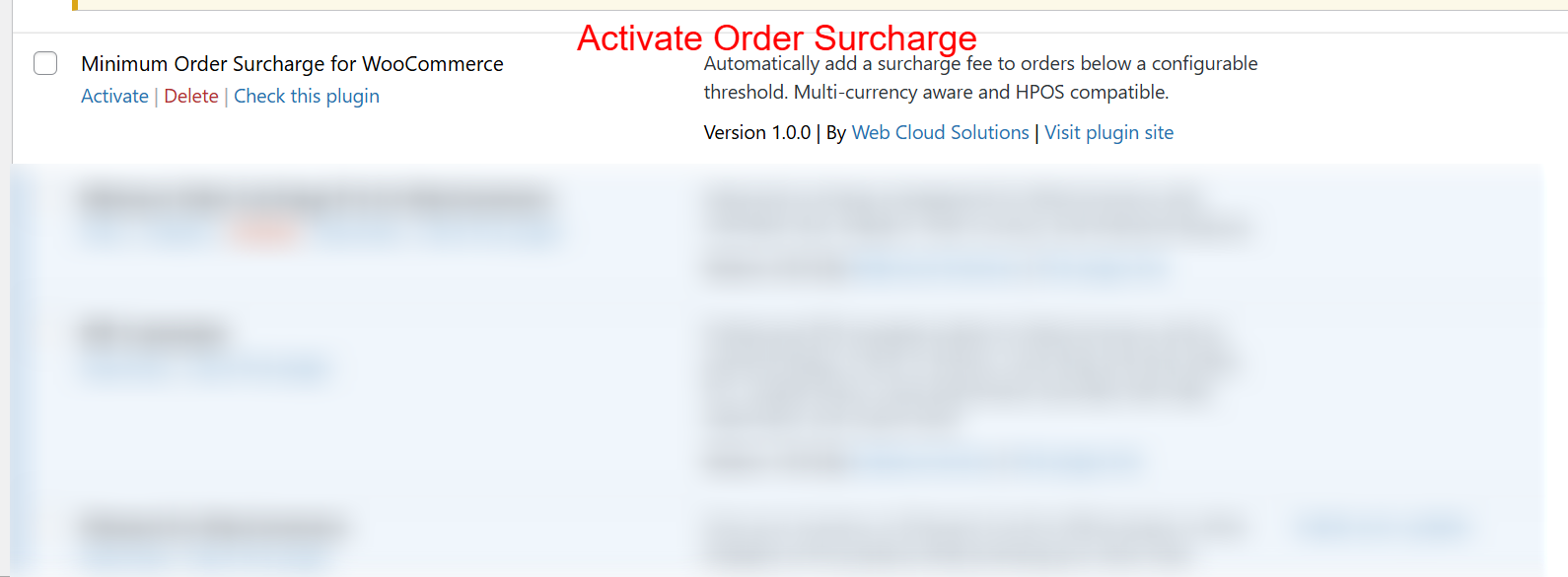
To begin using the Minimum Order Surcharge plugin, navigate to your WordPress admin area and locate the plugin in the list. Click 'Activate' to enable the functionality. Activating the plugin is crucial as it allows store owners to automatically apply surcharges to orders that do not meet the predefined minimum order threshold.
2 Features
Configurable minimum order threshold
Customizable surcharge amount
Flexible customer-facing surcharge label
Multi-currency order handling
REST API for surcharge data access
HPOS compatibility
Translation ready
Core Features
Explore the key features that make Minimum Order Surcharge essential for your WooCommerce store.
- Configurable minimum order threshold
- Customizable surcharge amount
- Flexible customer-facing surcharge label
- Multi-currency order handling
- REST API for surcharge data access
- HPOS compatibility
- Translation ready
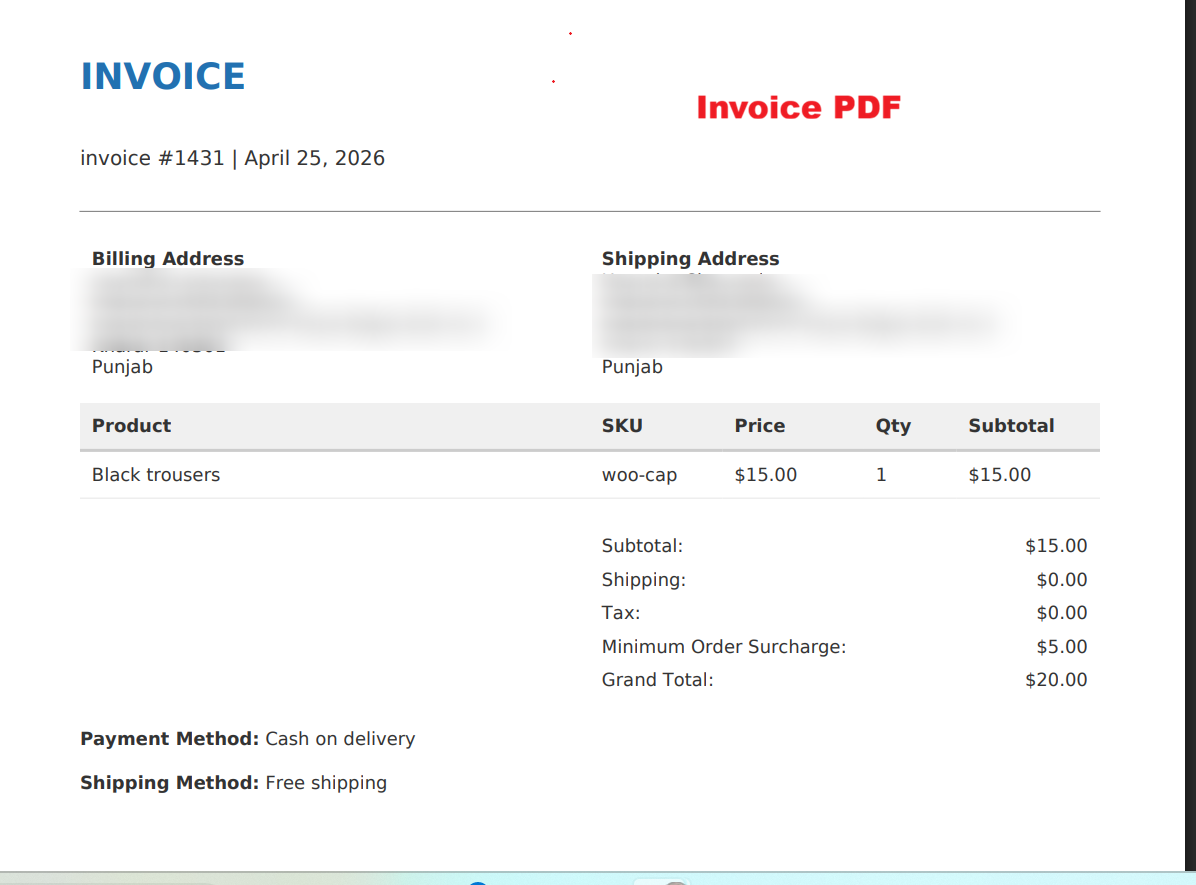
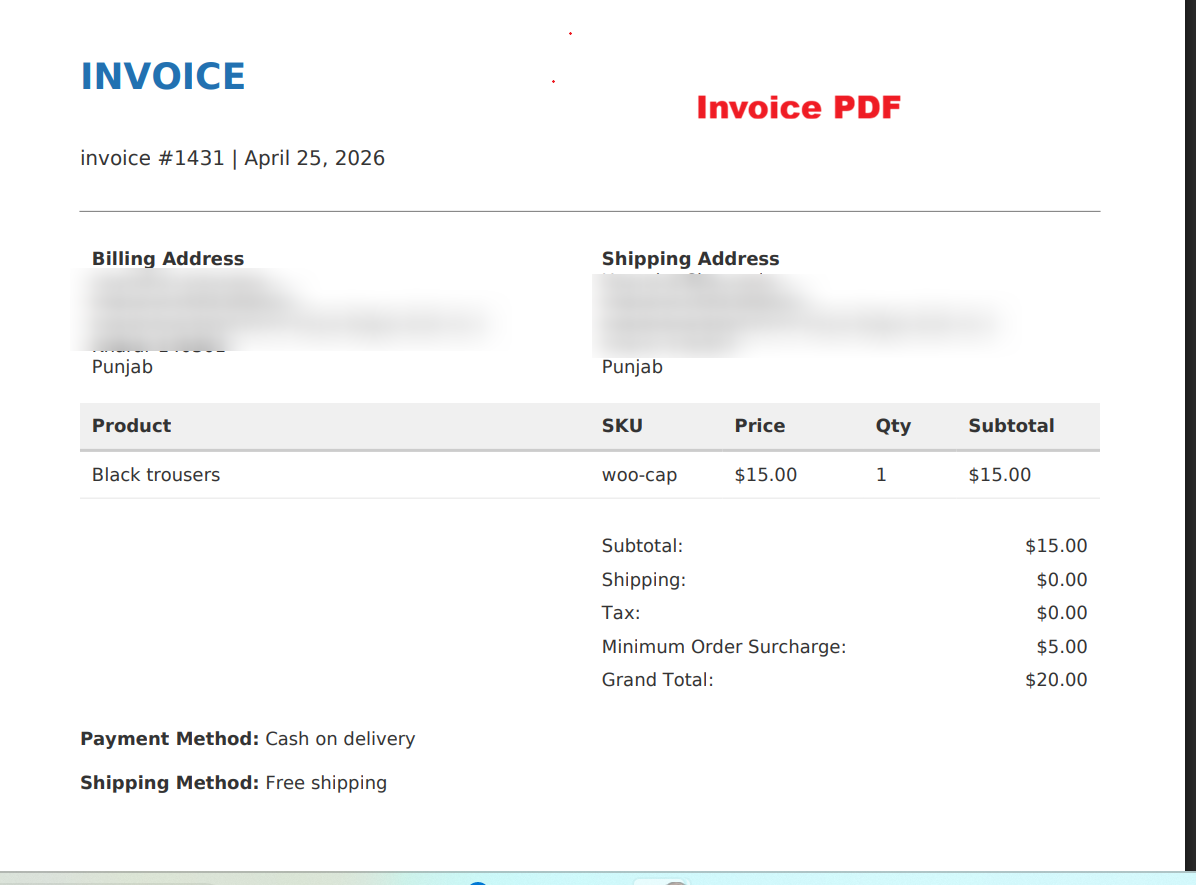
Invoices offer a formal record that includes all aspects of the order, such as the minimum order surcharge. This document is essential for both customer records and store accounting, providing a transparent trail of the transaction.
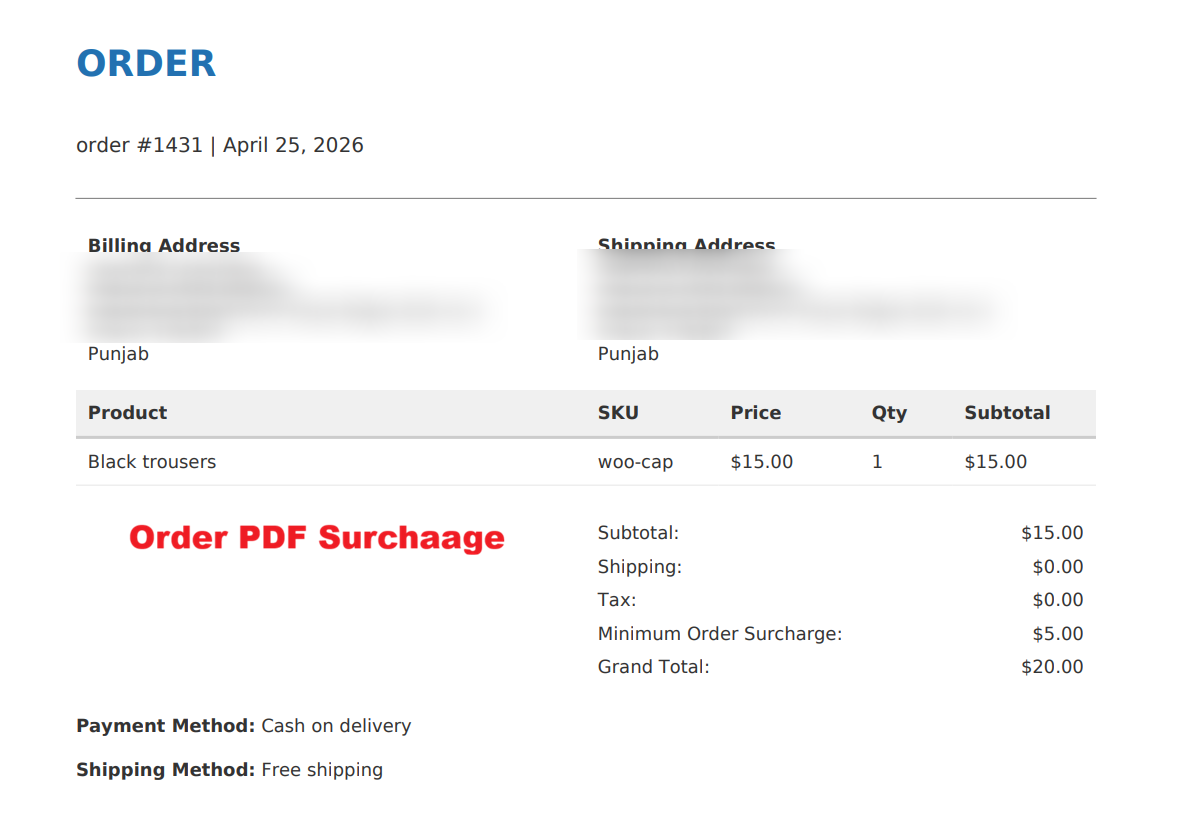
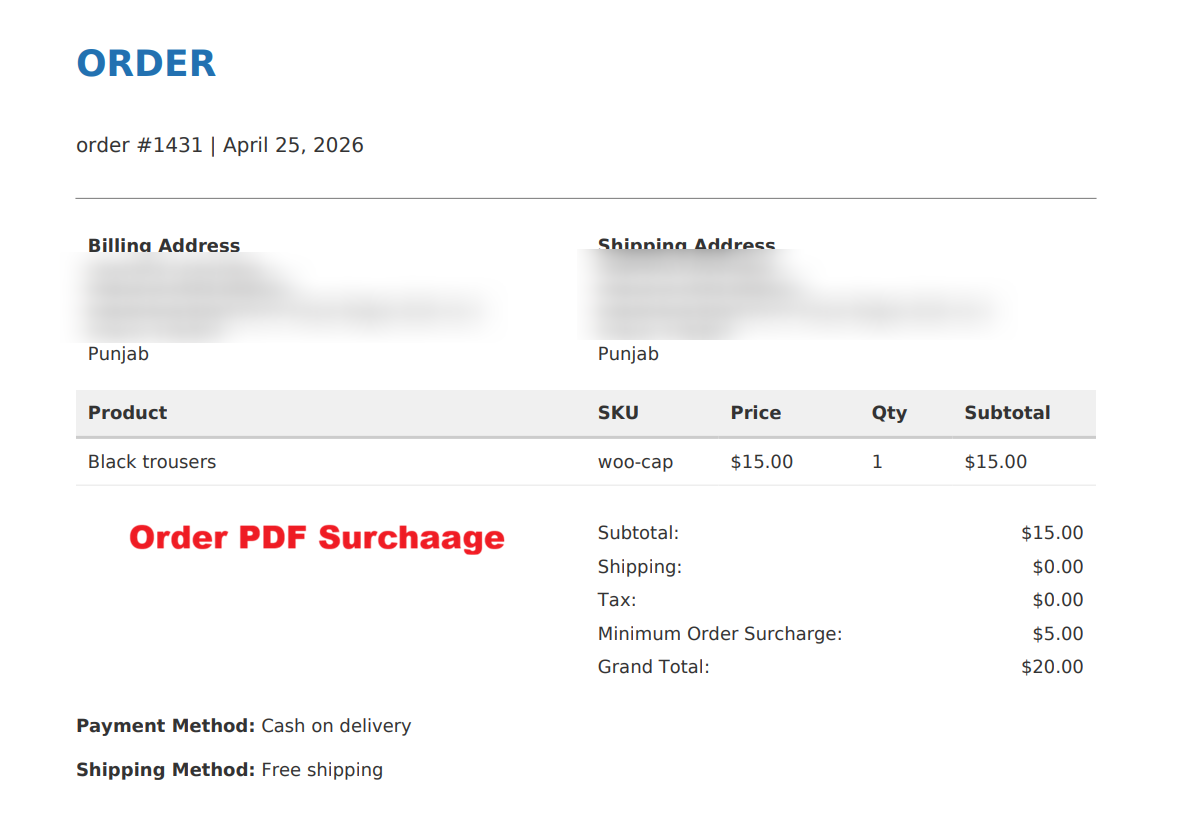
The Order PDF delineates every aspect of a customer’s order, cementing the surcharge as part of the financial record. Customers and businesses alike benefit from this clarity and documentation, promoting accountability and transparency of ecommerce transactions.
3 Configuration Walkthrough
Activate the Plugin
Navigate to WordPress Dashboard -> Plugins. Locate 'Minimum Order Surcharge for WooCommerce' in your plugin list. Click Activate to enable the plugin's functionality.
To begin using the Minimum Order Surcharge plugin, navigate to your WordPress admin area and locate the plugin in the list. Click 'Activate' to enable the functionality. Activating the plugin is crucial as it allows store owners to automatically apply surcharges to orders that do not meet the predefined minimum order threshold.
Configure General Settings
After activation, go to WooCommerce -> Min Order Surcharge. Enable the plugin by checking the appropriate box. Set the Minimum Order Threshold and define the Surcharge Amount. Customize the Surcharge Label to ensure clarity during checkout.
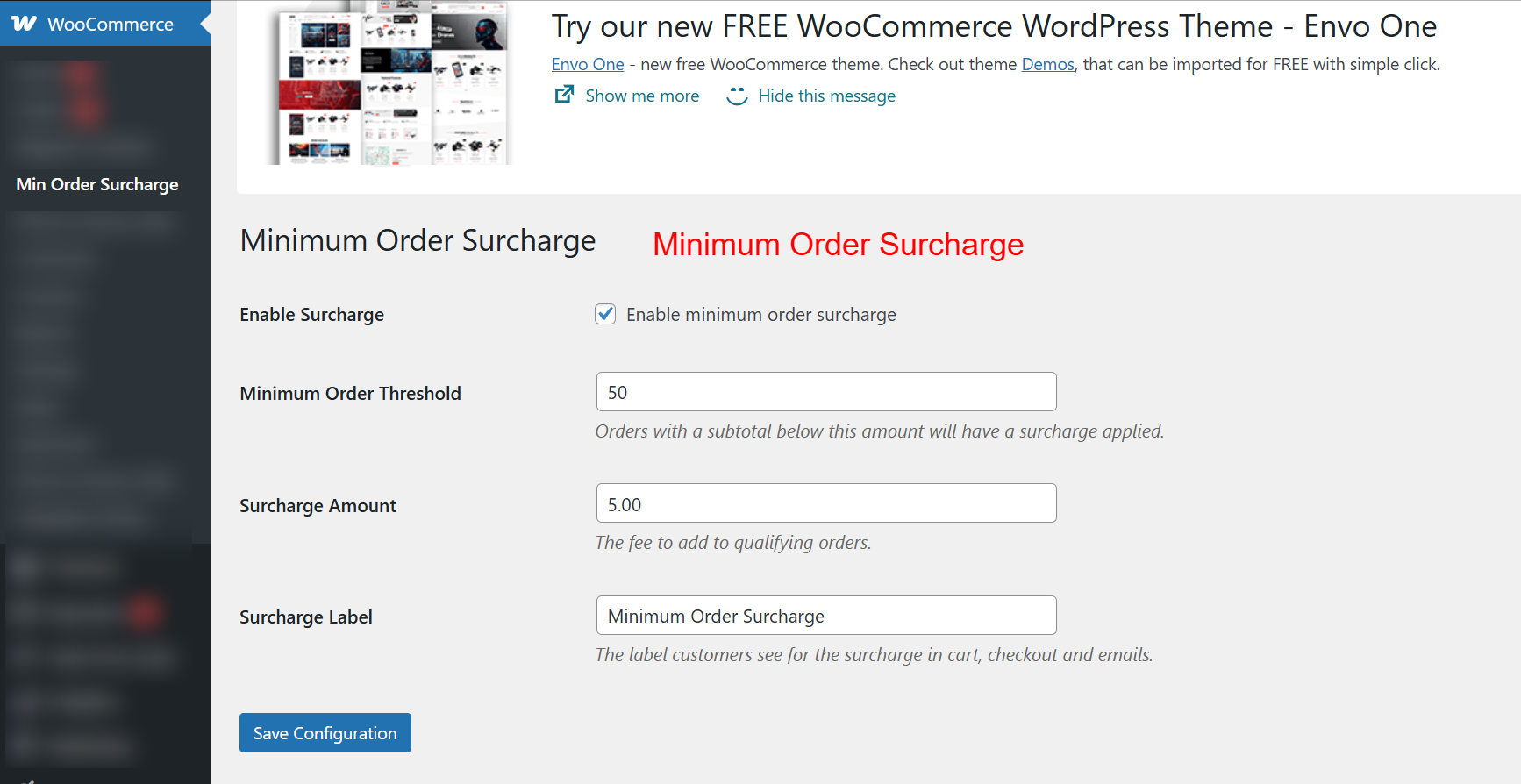
Once the plugin is activated, configure its settings to suit your store’s needs. Enable the surcharge by checking the respective box, and set the minimum order threshold. Orders under this threshold will incur a surcharge, defined in the Surcharge Amount field. Customize the label to ensure clarity for customers during checkout.
4 User Journey
Cart Page Surcharge Display
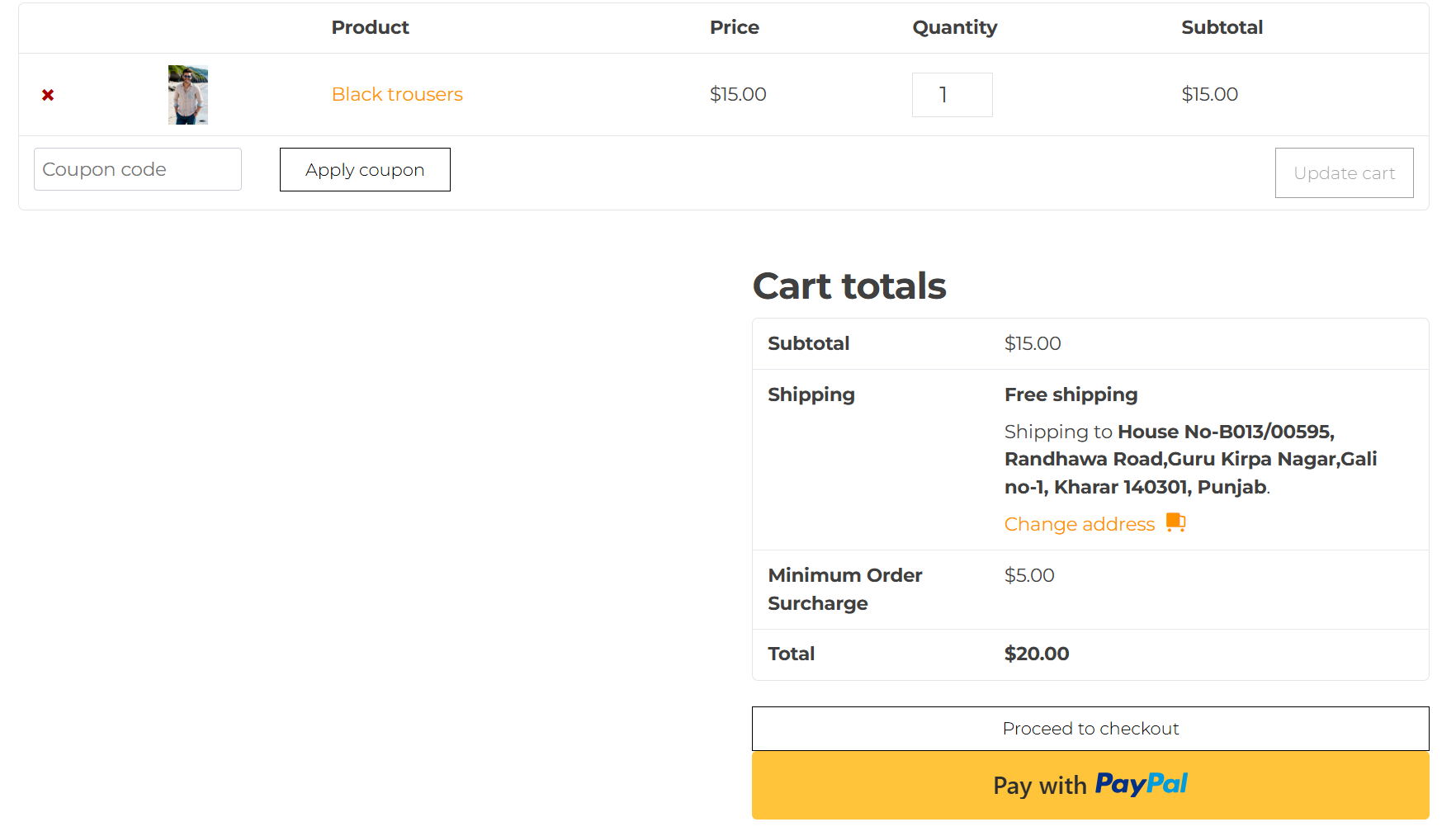
Customers shopping at your online store can view the surcharge applied in their cart totals. This upfront display helps manage customer expectations by clearly marking orders that fall below the threshold with a surcharge.
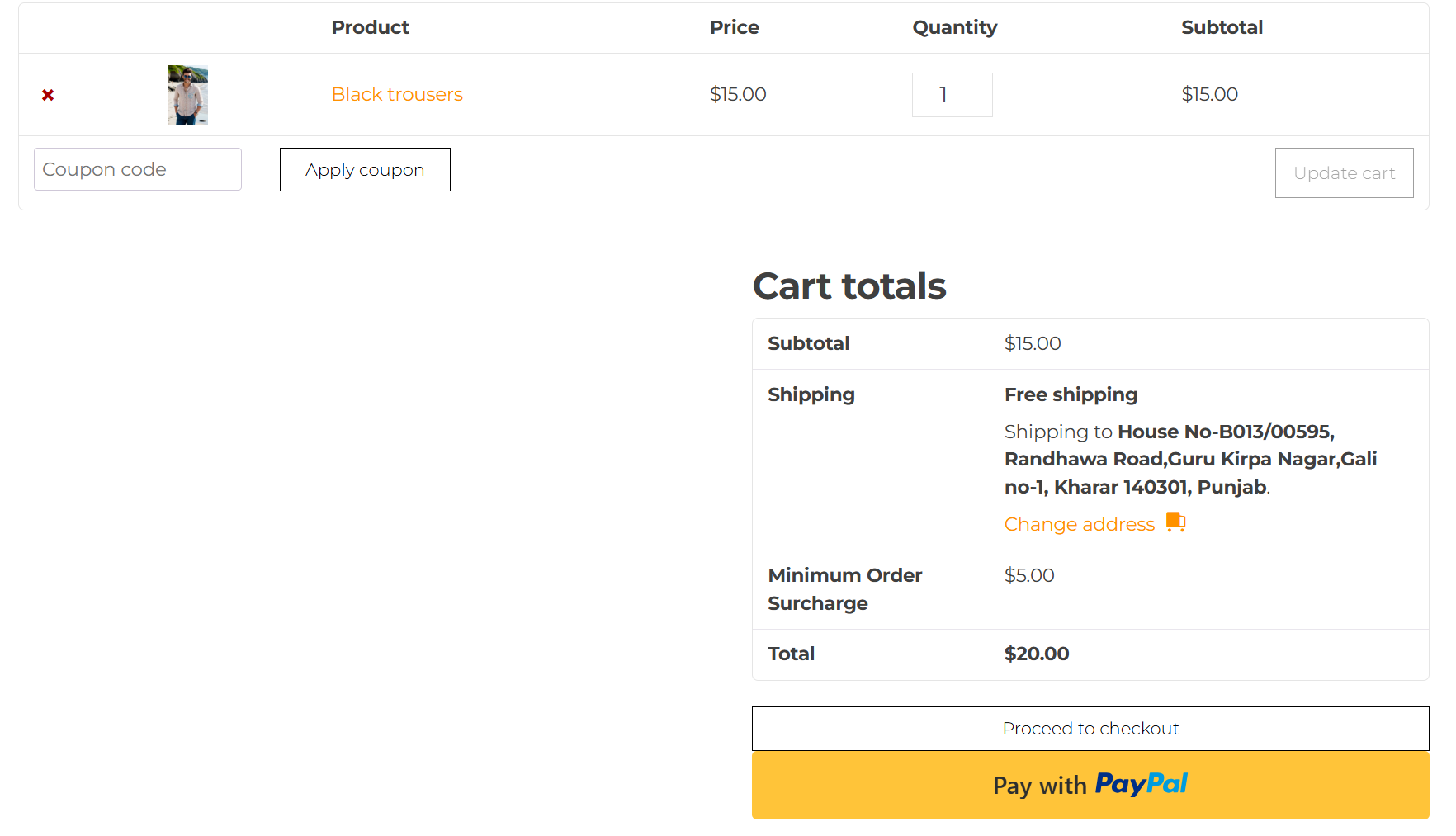
Customers can see the surcharge applied directly in their cart totals. This transparency helps customers understand why an additional fee is being applied, as orders valued below the threshold are clearly marked with a surcharge.
Checkout Page Order Review
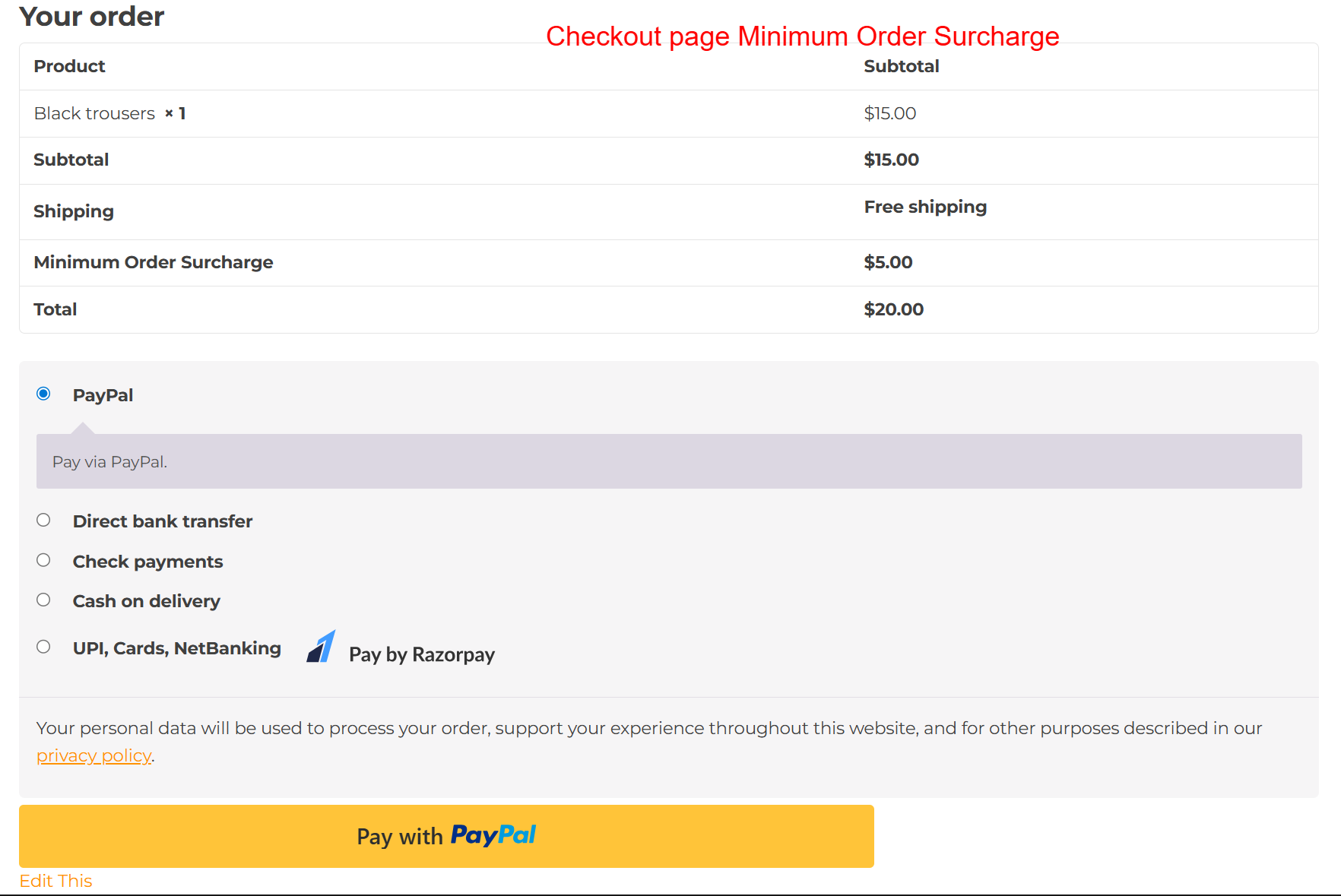
On the checkout page, customers have the opportunity to review their complete order details. This includes the minimum order surcharge, ensuring all costs are transparent before finalizing the purchase.
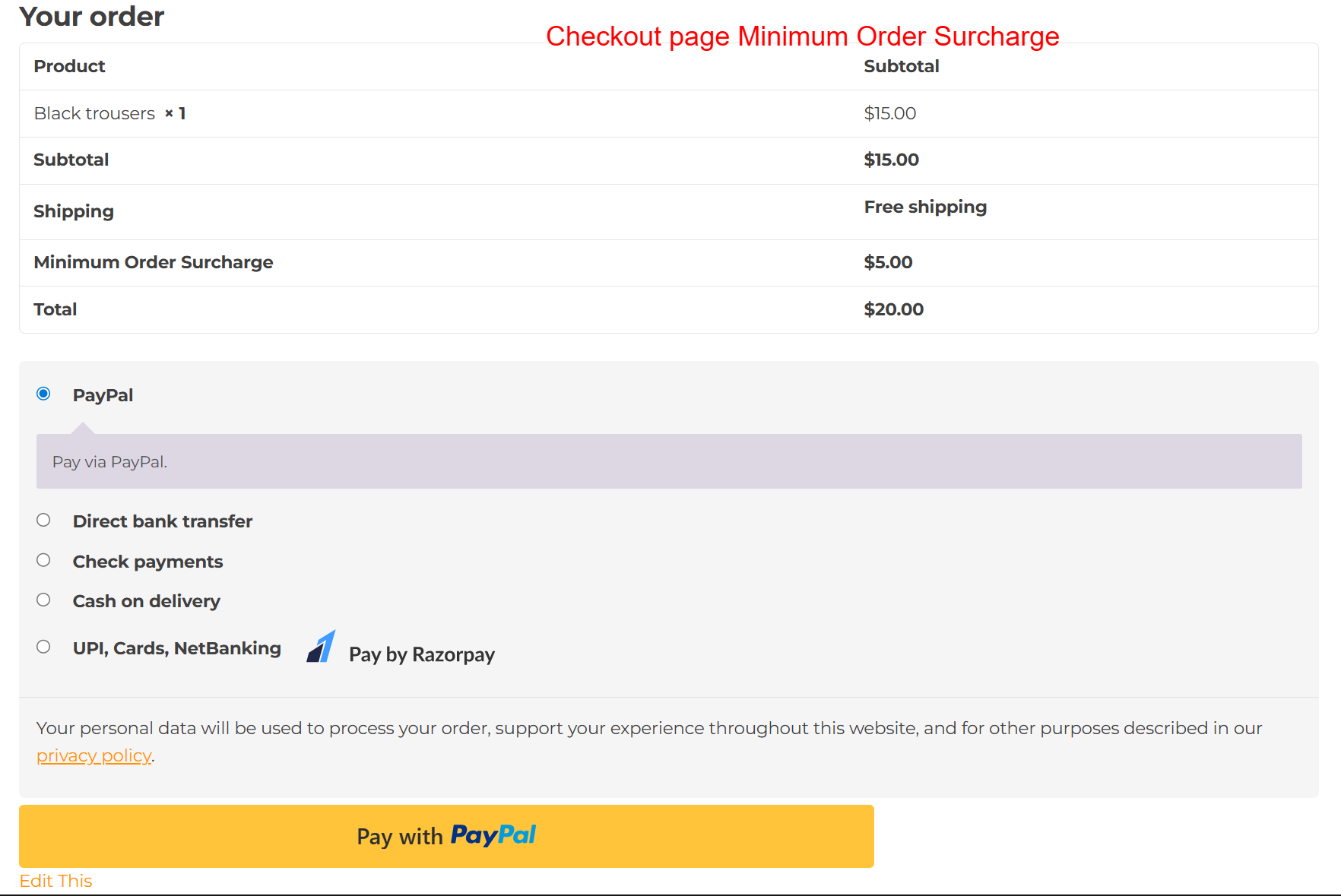
During checkout, customers review their order details, including the minimum order surcharge. This screen is important to ensure customers acknowledge all components of their payment, maintaining transparency and reducing potential disputes over additional charges.
5 Use Cases
B2B Stores
B2B stores can cover handling costs on small reorders by applying surcharges to ensure costs are recouped even on smaller transactions.
Minimum Spend Policy
Retailers who promote minimum spend rules can still accept smaller orders by applying a surcharge, balancing accessibility for customers with business needs.
10 Step-by-Step Screenshot Reference
Every captured screen in setup order. Click any image to open the full-size version in a new tab.
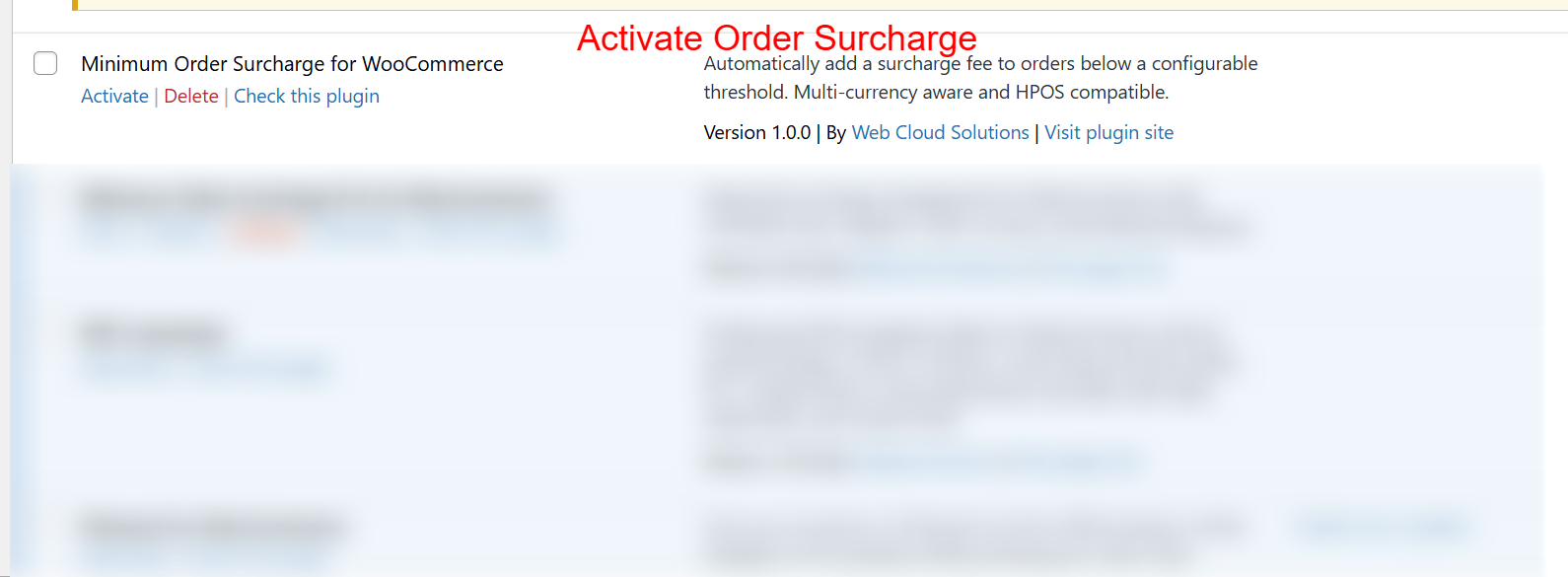
wp-admin: Plugin List > Activate Surcharge
What this shows: This screen displays the plugin listing with options to Activate, Delete, or Check the Minimum Order Surcharge for WooCommerce plugin.
To begin using the Minimum Order Surcharge plugin, navigate to your WordPress admin area and locate the plugin in the list. Click 'Activate' to enable the functionality. Activating the plugin is crucial as it allows store owners to automatically apply surcharges to orders that do not meet the predefined minimum order threshold.
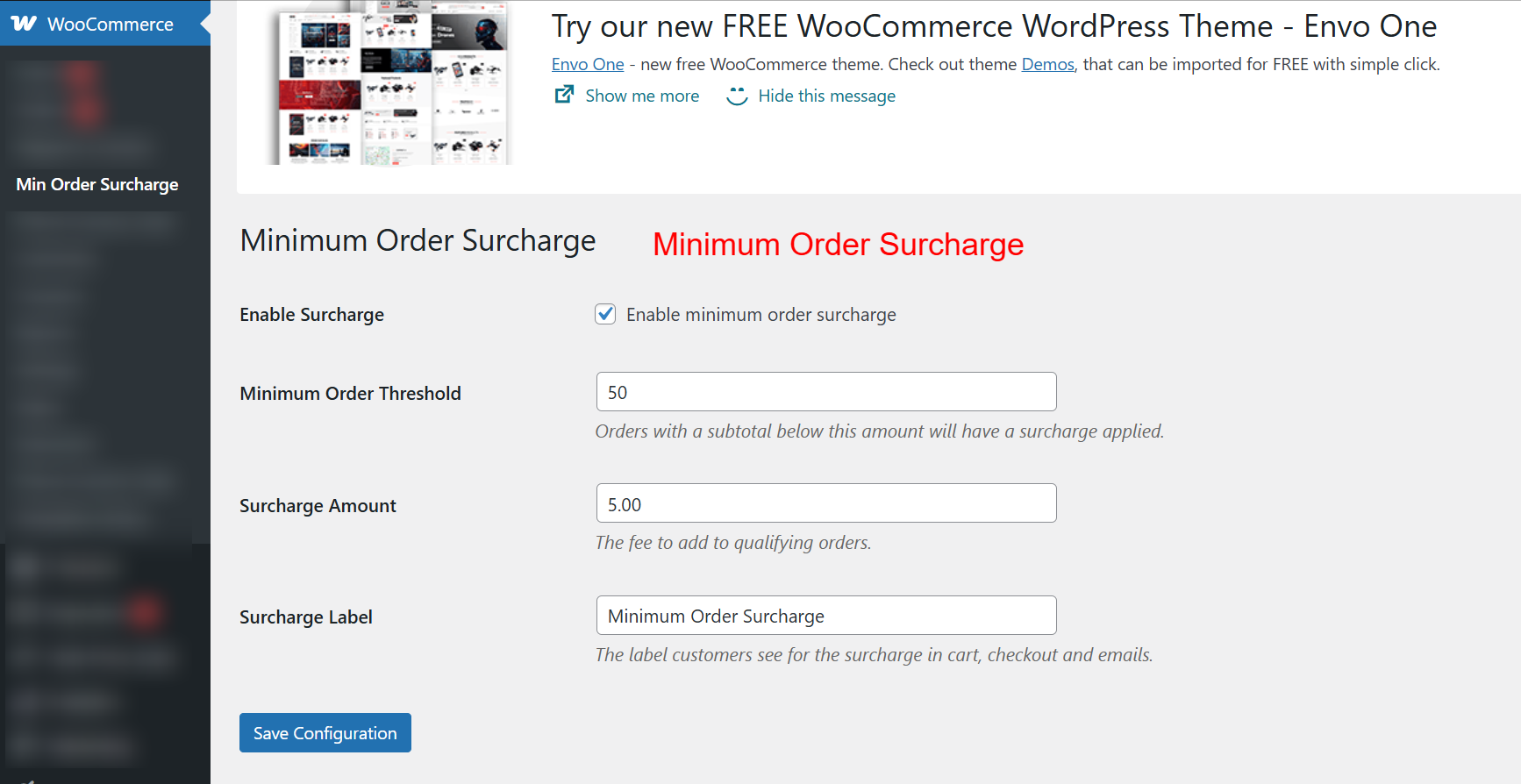
wp-admin: WooCommerce > Min Order Surcharge Settings
What this shows: The settings page includes options to enable the surcharge, set the minimum order threshold, define the surcharge amount, and label the surcharge.
Once the plugin is activated, configure its settings to suit your store’s needs. Enable the surcharge by checking the respective box, and set the minimum order threshold. Orders under this threshold will incur a surcharge, defined in the Surcharge Amount field. Customize the label to ensure clarity for customers during checkout.
Cart Page: Minimum Order Surcharge Applied
What this shows: The shopping cart view shows the product list and displays the calculated surcharge under 'Cart totals', alongside subtotal, shipping, and total.
Customers can see the surcharge applied directly in their cart totals. This transparency helps customers understand why an additional fee is being applied, as orders valued below the threshold are clearly marked with a surcharge.
Checkout Page: Review Order with Surcharge
What this shows: This checkout screen presents the order summary, highlighting the surcharge under order totals, alongside shipping and other fees.
During checkout, customers review their order details, including the minimum order surcharge. This screen is important to ensure customers acknowledge all components of their payment, maintaining transparency and reducing potential disputes over additional charges.
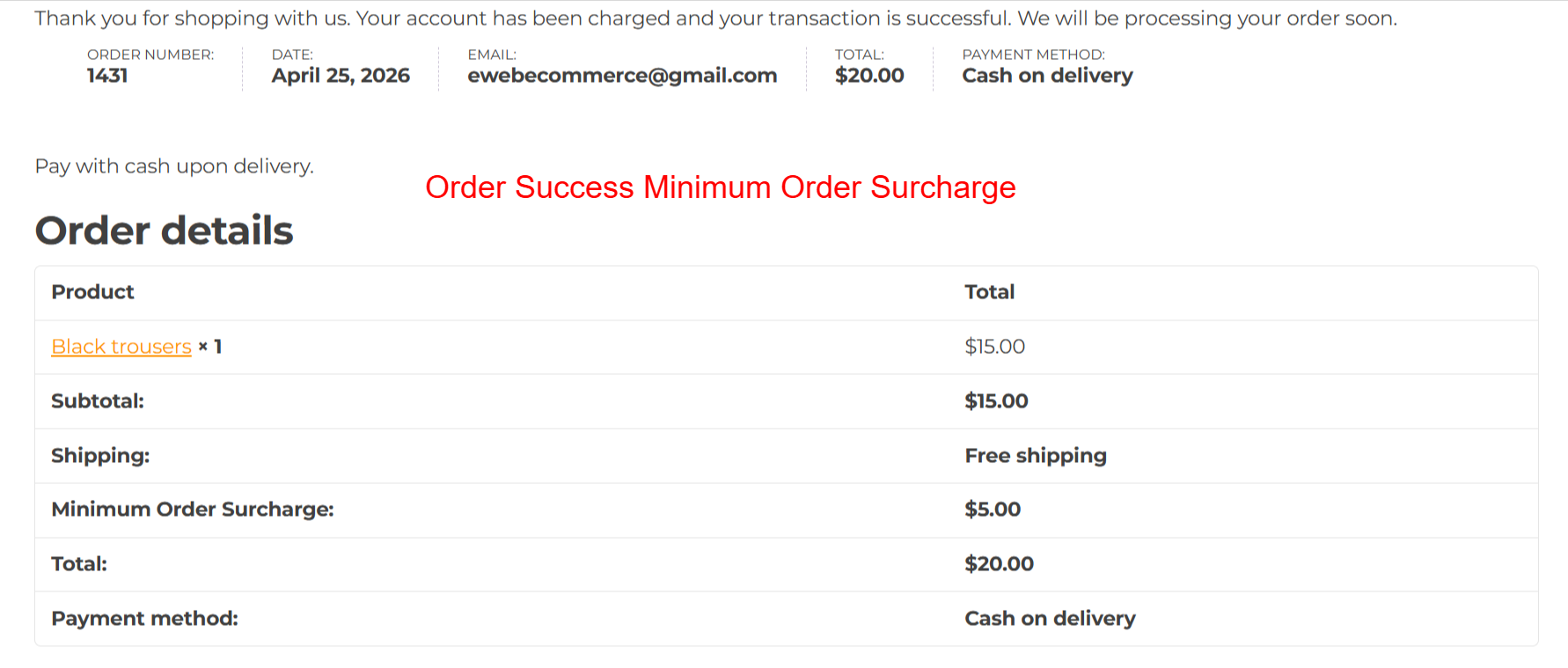
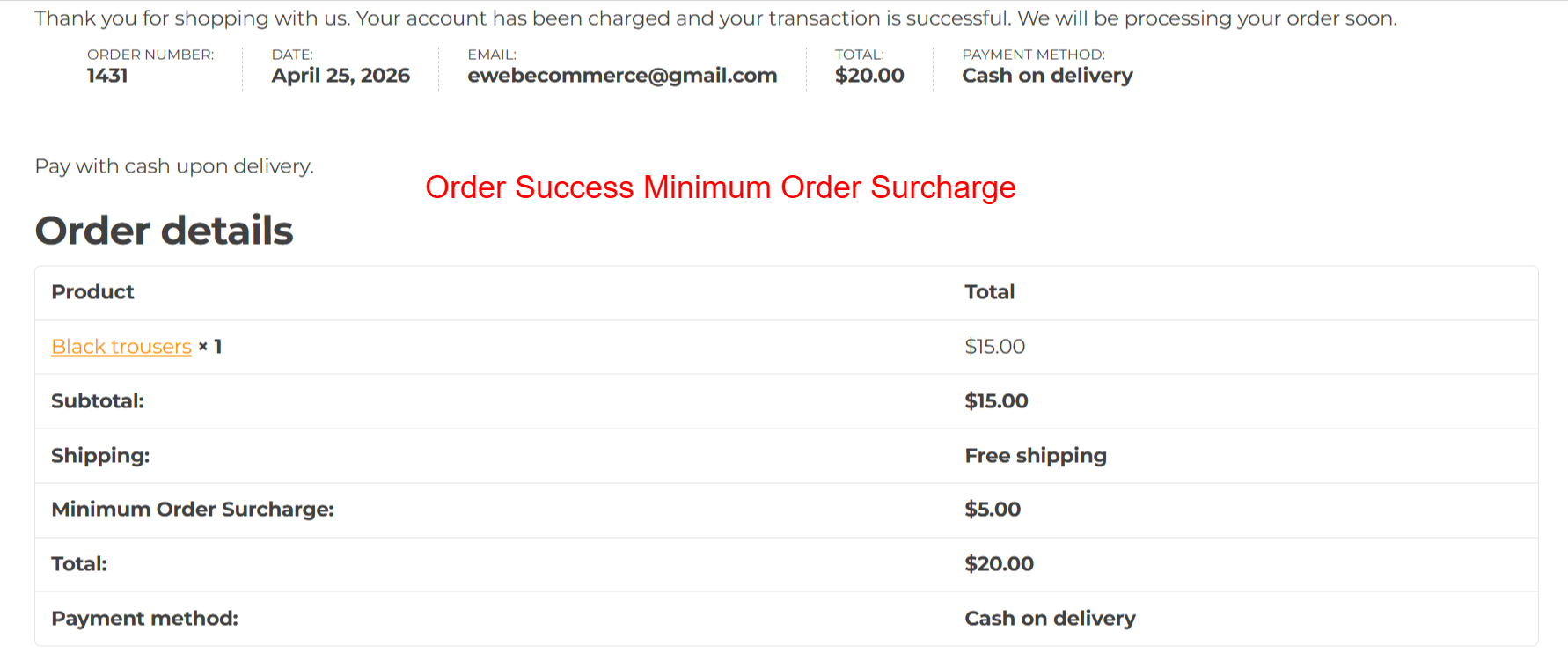
Order Success: Summary with Surcharge
What this shows: Displays a confirmation message with order details, including the surcharge, total amount, and payment method.
After successfully placing an order, customers receive a summary confirming details like the surcharge, helping to verify that all components of the transaction are correct. This reinforces trust and ensures customers understand the breakdown of their total cost.
Invoice PDF: Detailed Order Information
What this shows: An invoice PDF showing billing and shipping addresses, product details, and surcharges, along with total and payment methods.
Invoices offer a formal record that includes all aspects of the order, such as the minimum order surcharge. This document is essential for both customer records and store accounting, providing a transparent trail of the transaction.
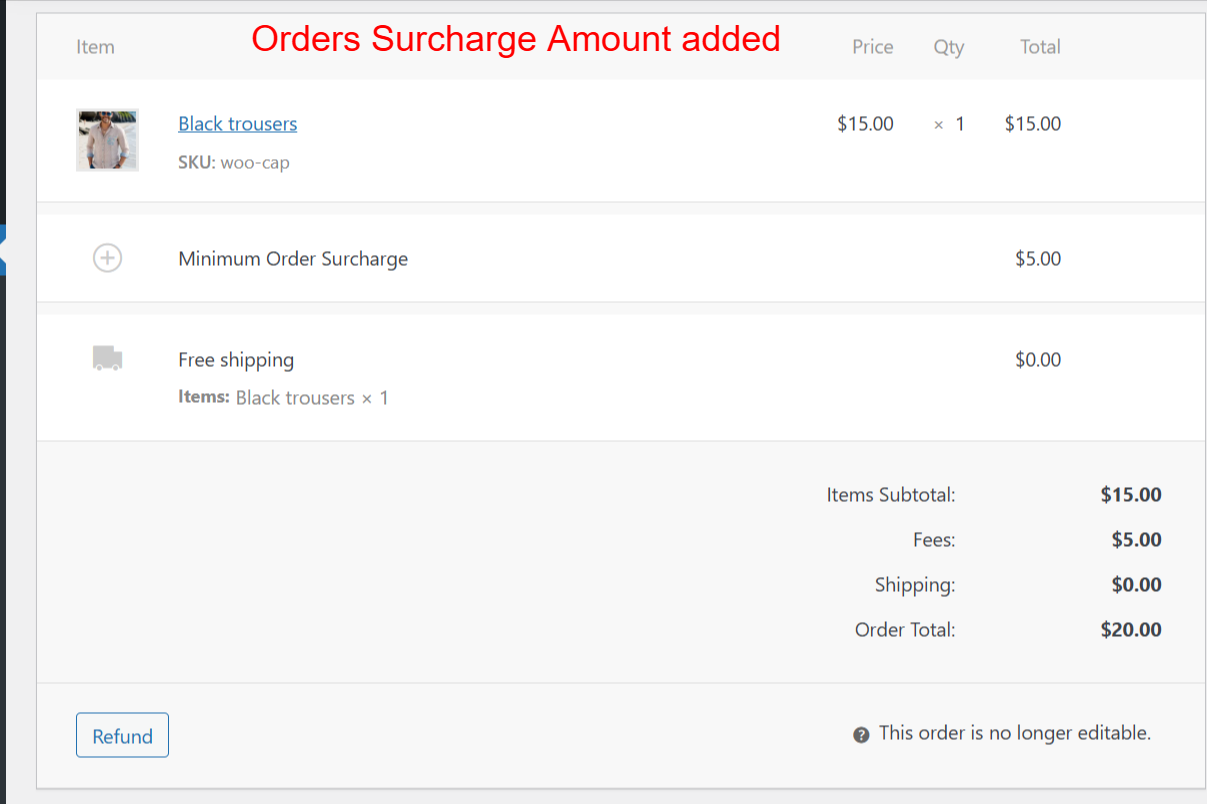
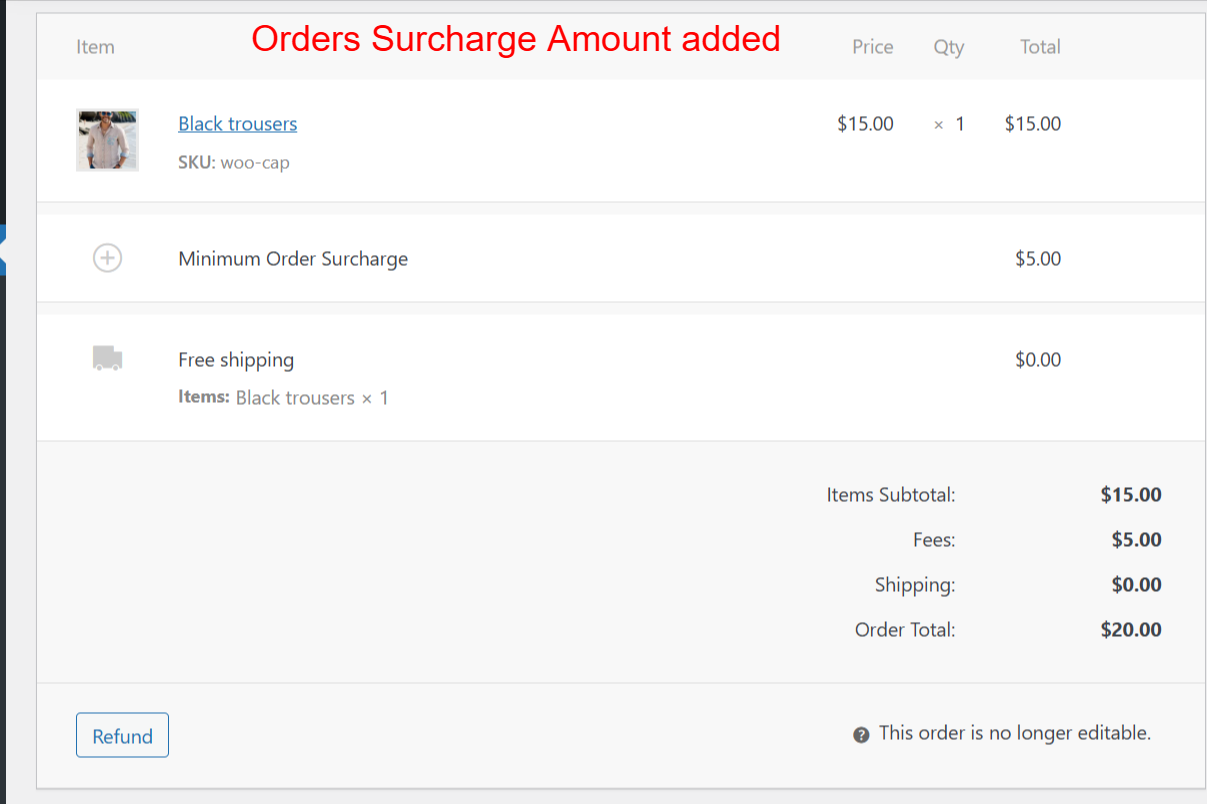
Order Details: Admin View of Surcharge
What this shows: An order details page in the admin panel showing line items, including the applied surcharge and overall fees breakdown.
In the WooCommerce admin panel, order details allow store admins to verify surcharges applied and adjust records as necessary. This back-end visibility is vital for maintaining order accuracy and ensuring correct charges are being applied according to the settings configured.
Order PDF: Comprehensive Order Record
What this shows: An order PDF that lists product, charges, and the surcharge amount, finalized with the grand total and payment method.
The Order PDF delineates every aspect of a customer’s order, cementing the surcharge as part of the financial record. Customers and businesses alike benefit from this clarity and documentation, promoting accountability and transparency of ecommerce transactions.


Reviews
There are no reviews yet.